
Free Code 39 Extended Barcode Generator — Full ASCII, No Signup, Instant Download
Generate Code 39 Extended barcodes online for free — no account, no software, no restrictions. Enter any full ASCII string — including lowercase letters, punctuation, and special characters — and receive a crisp, scannable barcode in PNG or SVG format within seconds. Code 39 Extended (also known as Code 39 Full ASCII) expands the standard Code 39 symbology to cover all 128 ASCII characters by encoding non-standard characters as two-symbol pairs. Real-time preview updates as you type. Download individual barcodes or bulk-generate hundreds at once.

What Is Code 39 Extended?
Code 39 Extended — formally called Code 39 Full ASCII — is an extension of the widely deployed Code 39 symbology that expands its native 43-character set to cover all 128 ASCII characters. Standard Code 39 is limited to uppercase letters (A–Z), digits (0–9), and eight special characters (space, -, ., $, /, +, %, *). Code 39 Extended removes this restriction by representing additional characters — including lowercase letters, control characters, and extended punctuation — as two-symbol sequences using the standard Code 39 character set. The result is a variable-length, discrete, self-checking linear barcode that can encode any ASCII data while remaining compatible with the broad ecosystem of Code 39 scanners and readers already deployed in industry. Standardized under ISO/IEC 16388 and ANSI/AIM BC1, Code 39 Extended is used wherever Code 39 infrastructure exists but full ASCII encoding capability is required.
- Full ASCII Character Support — 128 Characters Including LowercaseCode 39 Extended encodes the complete 128-character ASCII set: uppercase letters (A–Z), lowercase letters (a–z), digits (0–9), control characters (NUL–US), and all punctuation and special characters. Characters outside the native Code 39 set are encoded as two-character shift sequences using the four special characters $, /, %, and +. This allows you to encode product codes, URLs, names, and free-form text strings that standard Code 39 cannot represent.
- Backward Compatible with Code 39 InfrastructureCode 39 Extended barcodes are physically identical to standard Code 39 barcodes — they use the same bar and space patterns, the same start/stop characters, and the same inter-character gaps. Any scanner configured for Code 39 Full ASCII mode will decode extended characters correctly. Scanners set to standard Code 39 mode will still read the barcode but will return the raw two-character sequences rather than the decoded ASCII characters. This backward compatibility protects existing hardware investments.
- Discrete, Self-Checking SymbologyLike standard Code 39, the extended variant is a discrete barcode: each character is encoded independently with a small inter-character gap, and no character encoding depends on adjacent characters. Code 39 is also inherently self-checking — the bar and space pattern for each character is unique and cannot be mistaken for another valid character through a single printing or scanning error. This self-checking property means Code 39 Extended provides a baseline of error resistance even without an optional check character.
- Optional Mod 43 Check DigitCode 39 Extended supports an optional Mod 43 check character appended as the last data character before the stop symbol. Although not mandated by the base standard, many industry implementations and regulated applications — including HIBC healthcare labels and some aerospace standards — require the check digit. When enabled, the check character is computed automatically from the encoded data, eliminating manual calculation errors and providing an additional layer of scan-time verification.
- Variable Length — No Fixed Data WidthCode 39 Extended imposes no minimum or maximum data length. You can encode a single character or a long alphanumeric string in the same format. Barcode width scales with data length: each native Code 39 character occupies a fixed module width, while extended (two-symbol) characters occupy twice that width. Plan label dimensions accordingly — longer strings with many non-native characters produce wider barcodes than equivalent Code 128 barcodes.
Code 39 Extended specifications
Code 39 with escape sequences that map the full ASCII set onto the 43-character base alphabet. The table below lists the exact Code 39 Extended specifications — character set, check digit, X-dimension, quiet zone and the governing ISO/IEC 16388 (extended interpretation); AIM USS-39 standard — so you can size and print the symbol correctly the first time.
| Character set | Full ASCII 0-127 via two-character shift sequences over the base 43-character set |
|---|---|
| Data length | Variable; non-base characters consume two code positions each |
| Check digit | Optional Mod 43 (computed over the transmitted ASCII data, not the shift pairs) |
| Density | ≈5-9 base characters per inch; effectively halves for lowercase-heavy data |
| X-dimension (module width) | 0.19-0.50 mm typical |
| Quiet zone | 10X on each side |
| Magnification | Scales with X-dimension and ratio |
| Bar / space ratio | Wide:narrow ratio 2:1 to 3:1 |
| Standard | ISO/IEC 16388 (extended interpretation); AIM USS-39 |
| Introduced | 1974 — David Allais and Ray Stevens, Intermec (extension popularized in the 1980s) |
Typical uses: Legacy systems requiring full keyboard ASCII in Code 39; Mixed alphanumeric data in Code 39-based supply chains; Applications that cannot change symbology but receive arbitrary text.
How Code 39 Extended compares to similar barcode types
Choosing the wrong symbology is the most common cause of barcodes that scan in the warehouse but get rejected downstream. This table compares Code 39 Extended with the formats most often confused with it, on the three properties that decide compatibility: character set, check digit, and quiet zone.
| Symbology | Character set | Check digit | Quiet zone |
|---|---|---|---|
| Code 39 Extended(this page) | Full ASCII 0-127 via two-character shift sequences over the base 43-character set | Optional Mod 43 (computed over the transmitted ASCII data, not the shift pairs) | 10X on each side |
| Code 39 | 43 characters: 0-9, A-Z, space, and - . $ / + % (full ASCII via Code 39 Extended) | Optional Mod 43 check character (mandatory in LOGMARS and some industry standards) | 10X on each side |
| Code 128 | All 128 ASCII characters: 0-9, A-Z, a-z, punctuation, and control characters (code set dependent) | Mandatory Mod 103 check character, calculated automatically by the encoder | 10X on each side (minimum 2.5 mm recommended for general scanning) |
| HIBC Code 39 | Code 39 base set (0-9, A-Z, space, - . $ / + %); HIBC strings are uppercase alphanumeric plus - . $ / + % | Mandatory HIBC Mod 43 check character appended to the data | 10X on each side |
How to Create a Code 39 Extended Barcode — Step-by-Step
Creating a scannable, print-ready Code 39 Extended barcode with this free online generator takes under a minute. Follow these four steps:
Enter Your Barcode Data
Type or paste your data into the input field. Code 39 Extended accepts any combination of ASCII characters — uppercase and lowercase letters, digits, punctuation, and special characters including @, #, !, (, and ). There is no fixed length limit. If your data includes only uppercase letters, digits, and the eight native Code 39 special characters, the barcode will be the same width as standard Code 39. Additional characters are encoded as two-symbol pairs and increase the barcode width proportionally.
Adjust Size and Appearance
Use the settings panel to configure bar height, module width, quiet zone margin, and font size. Toggle the human-readable text on or off depending on your label design. The live preview reflects all adjustments instantly. For labels that will be printed small, increase module width to ensure reliable scanning; for wide labels with long data strings, reduce module width to keep the barcode within the printable area.
Preview and Validate
Confirm the barcode preview is correct: check that the human-readable text below the bars matches your input exactly — including lowercase characters and special symbols — and that the quiet zones on both sides are visually clear. For critical applications, scan the on-screen barcode preview with a mobile scanner app to verify that your reader is configured for Code 39 Full ASCII mode and returns the correct decoded string.
Download or Bulk Export
Click the PNG download button for a raster image suitable for Word documents, label software, or email. Click SVG for a resolution-independent vector file ready for Illustrator, Inkscape, or direct embedding in HTML. For bulk jobs, switch to the multi-line input panel, paste your full list of values — one per line — and download a ZIP archive of all barcodes at once.
Who Should Use This Code 39 Extended Barcode Generator?
This free online Code 39 Extended generator is built for anyone who needs full ASCII barcode encoding within an existing Code 39 ecosystem. Here is who benefits most.
IT and Operations Teams
Generate asset tags and equipment labels that encode mixed-case identifiers, hostnames, and location strings — such as 'srv-01/rack-B/dc-east' — that standard Code 39 cannot represent. Compatible with existing Code 39 barcode readers already deployed across the organization.
Healthcare and Laboratory Staff
Create specimen labels, sample tubes, and equipment tags encoding alphanumeric identifiers that include lowercase characters and hyphens. Works with lab automation and healthcare scanning hardware configured for Code 39 Full ASCII without requiring new readers or middleware.
Records and Document Managers
Produce document tracking barcodes for physical folders, files, and archival items with identifiers that include lowercase codes, slashes, or periods. Bulk-generate from a records management export and print onto folder labels without dedicated barcode software.
Developers and System Integrators
Quickly generate reference Code 39 Extended barcodes to validate scanner configuration for Full ASCII mode, test two-symbol shift pair decoding, or verify label layout before integrating a barcode encoding library into a production workflow.
Code 39 Extended Barcode Generator Features
Everything you need to produce accurate, print-ready Code 39 Extended barcodes — from live preview and full ASCII input validation to bulk generation, dimension controls, and lossless SVG output.
Real-Time Preview as You Type
The barcode preview refreshes with every keystroke. See the exact symbol that will be generated — including bar pattern, inter-character gaps, human-readable text, and quiet zones — before downloading. Characters that fall outside the ASCII range are flagged immediately so you can correct the input before it reaches a printer or label system.
Full ASCII Input — Lowercase, Punctuation, and Special Characters
Type or paste any ASCII string directly into the input field: lowercase names, mixed-case product codes, URLs, email addresses, or internal identifiers containing symbols such as @, #, !, (, and ). The encoder automatically converts non-native characters into the correct two-symbol Code 39 shift sequences transparently, with no manual escaping required.
PNG and SVG Download
Download your Code 39 Extended barcode as a high-resolution PNG for documents, labels, and email attachments, or as a lossless SVG for print-ready workflows, vector design files, and web embedding. SVG output scales to any size — from small product stickers to large warehouse shelf labels — without any pixelation or quality loss.
Adjustable Width, Height, and Quiet Zone
Control the visual dimensions of your barcode: bar height, module (X-dimension) width, human-readable font size, and quiet zone margin on each side. ISO/IEC 16388 requires a minimum quiet zone of 10× the X-dimension on both sides; this generator includes correct quiet zones automatically and allows you to increase them for labels with larger margins.
Human-Readable Text — Show or Hide
Toggle the human-readable interpretation (HRI) text below the barcode on or off. When visible, the decoded ASCII string is printed beneath the bars, allowing operators to verify content without a scanner. Hide the HRI for compact labels or embedded barcodes where the value is displayed elsewhere in the document or application.
Bulk Barcode Generation
Generate hundreds of unique Code 39 Extended barcodes in a single operation. Enter one value per line in the bulk input panel and download all barcodes as a ZIP archive of PNG or SVG files. Ideal for producing serialized asset tags, inventory labels, or document tracking stickers from an exported spreadsheet without manual one-by-one generation.
No Signup, No Watermarks, No Limits
This Code 39 Extended generator is fully free with no usage caps, no account required, and no watermarks on downloaded files. All barcode encoding happens entirely in your browser — your input data is never transmitted to any server and never stored. Generate one barcode or ten thousand; the tool imposes no limits and retains no data.
Code 39 Extended Use Cases & Real-World Examples
Code 39 Extended is used wherever existing Code 39 infrastructure exists but full ASCII encoding is required. Here are the most common real-world applications.
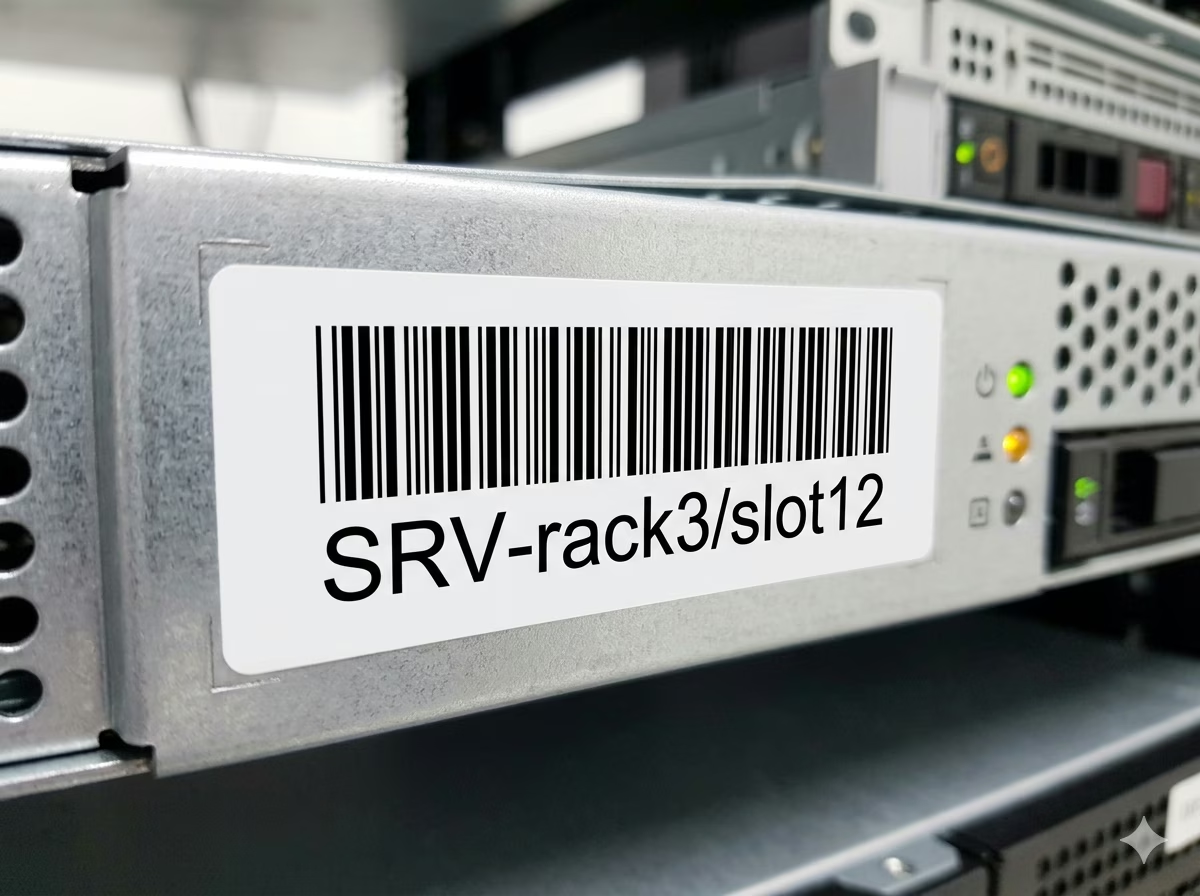
IT Asset and Equipment Tagging
Encode asset tags that include both serial numbers and model identifiers — such as 'SRV-rack3/slot12' or 'NB-John.Doe-2024' — using lowercase letters and slashes that standard Code 39 cannot represent. Code 39 Extended is a common choice for IT asset management systems that need alphanumeric labels compatible with existing Code 39 scanners.
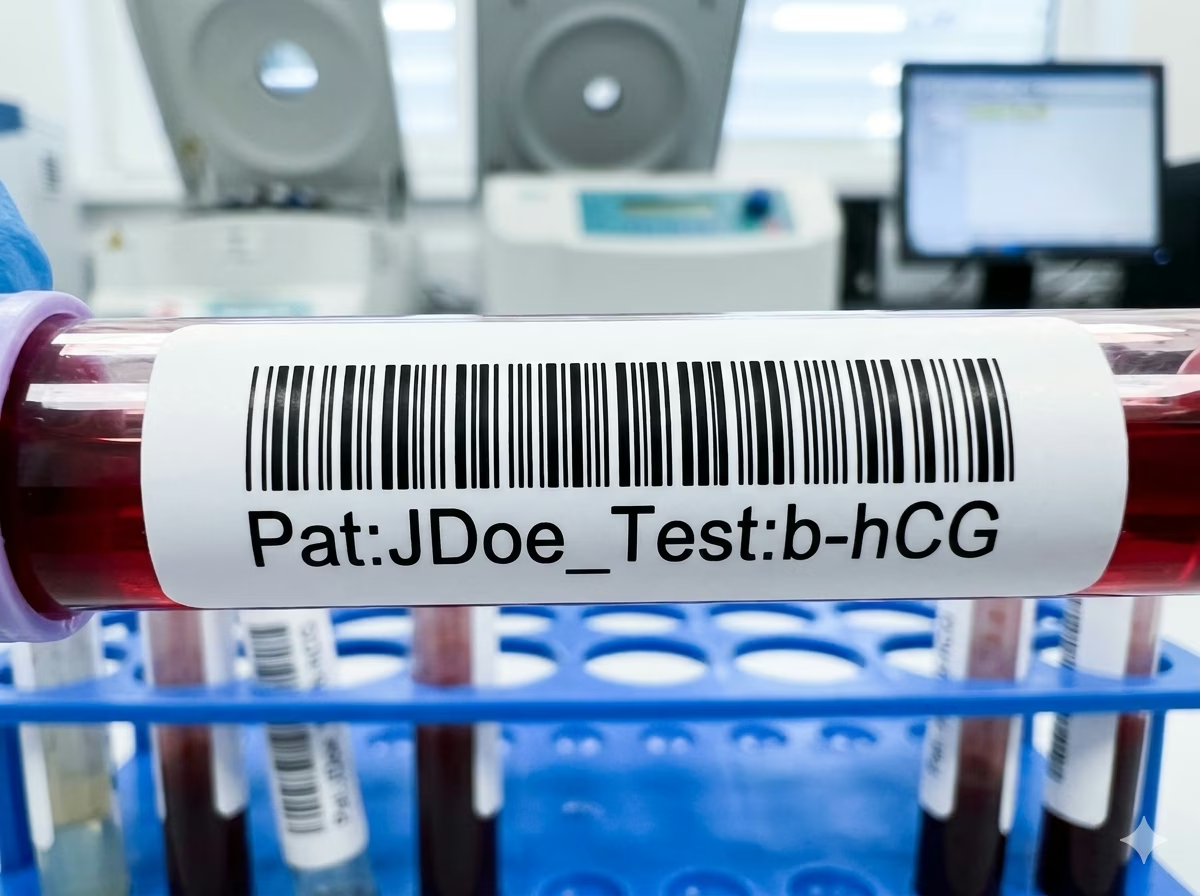
Laboratory Sample and Specimen Labels
Clinical and research laboratories use Code 39 Extended to encode specimen identifiers that include patient initials, lowercase test codes, or alphanumeric lot numbers. The format's self-checking character structure and compatibility with Code 39 readers already deployed in lab automation equipment makes it a low-friction upgrade from standard Code 39.
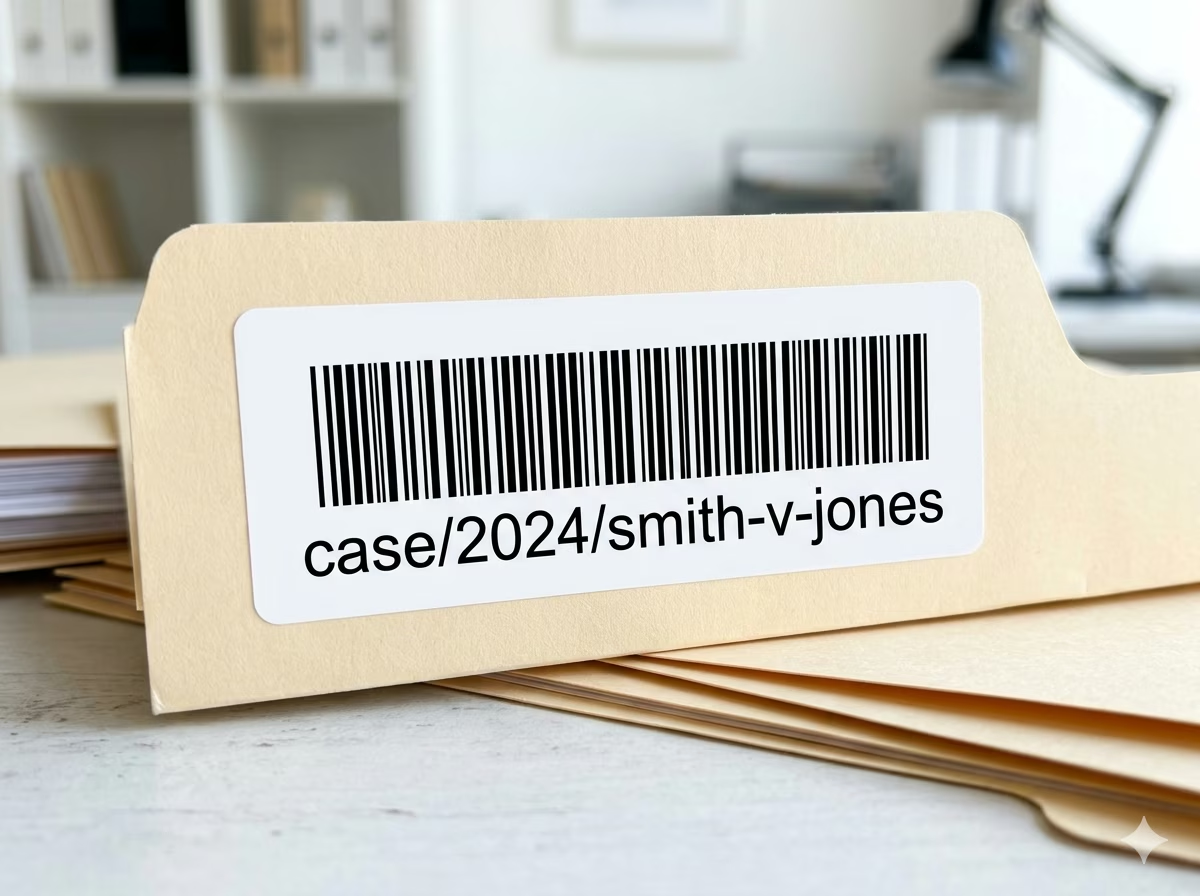
Document Tracking and Records Management
Law firms, government agencies, and healthcare providers encode document identifiers that include lowercase reference codes, slashes, and periods — such as 'case/2024/smith-v-jones' — into Code 39 Extended barcodes printed on folder tabs and cover sheets. The barcode enables automated document sorting, routing, and retrieval without manual data entry.
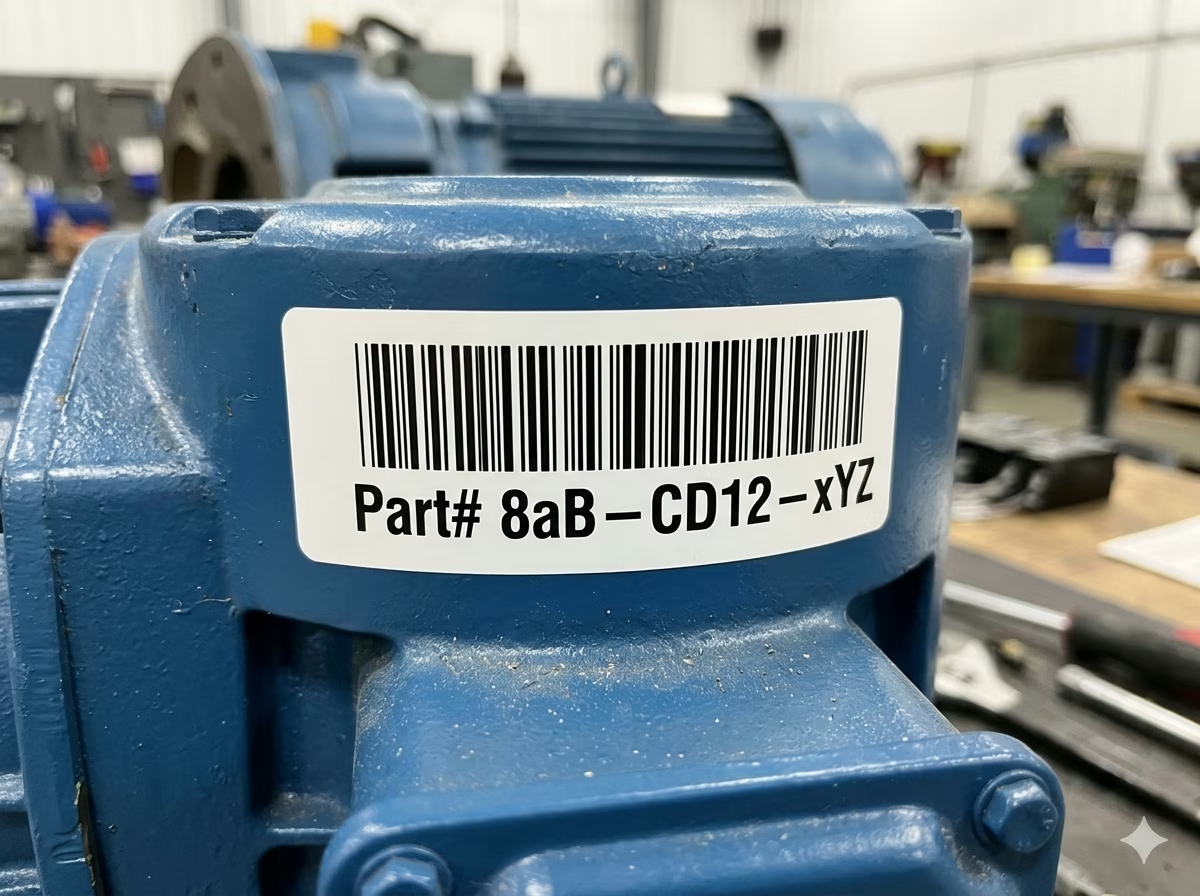
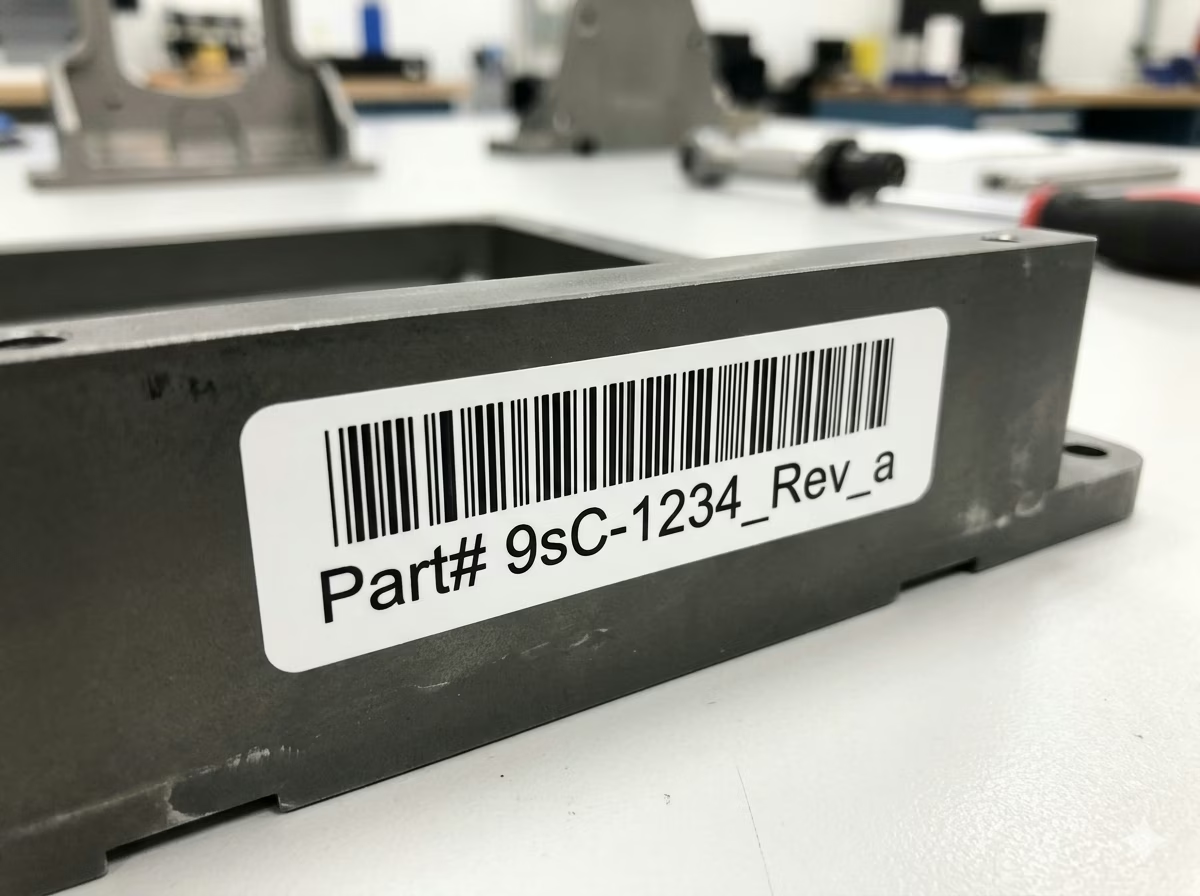
Industrial Parts and Manufacturing Labels
Manufacturers encode part numbers, revision codes, and batch identifiers that mix uppercase, lowercase, and special characters into Code 39 Extended labels. Its broad scanner compatibility and tolerance for industrial printing conditions — including dot-matrix printers, thermal transfer, and laser engraving on metal — make it a practical choice for shop-floor and maintenance environments.
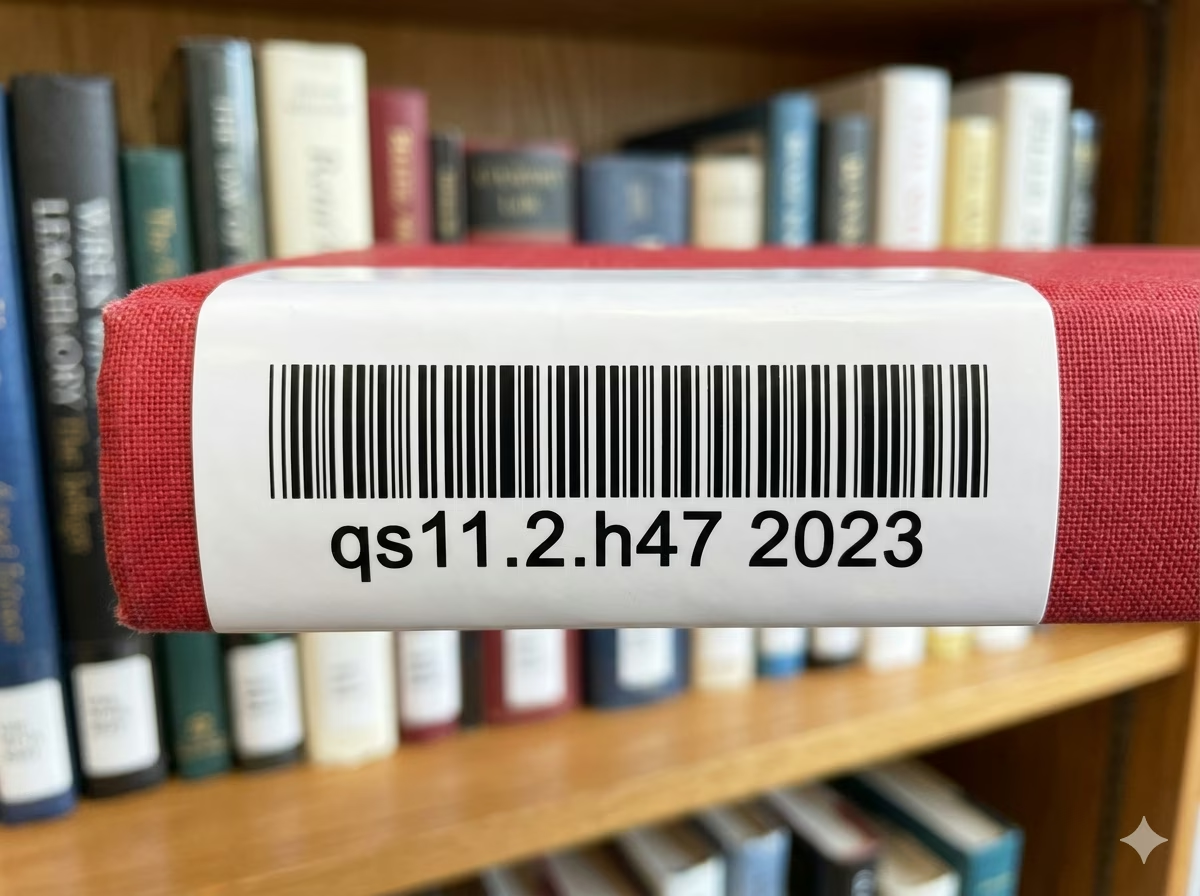
Library and Archival Collections
Libraries and archives use Code 39 Extended for item call numbers and catalog identifiers that include lowercase letters and periods, such as 'qs11.2.h47 2023'. The format integrates cleanly with older OPAC barcode reader hardware that was originally deployed for standard Code 39 and can be reconfigured for Full ASCII mode without replacement.
Defense and Aerospace Component Marking
MIL-STD and aerospace standards such as MIL-STD-1189 and ANSI/AIM BC1 specify Code 39 (with optional Full ASCII) for marking aircraft components, spare parts, and maintenance records. Code 39 Extended with a Mod 43 check digit is used when component identifiers include lowercase or special characters beyond the standard Code 39 character set.
Code 39 Extended Barcode — Frequently Asked Questions
Technical answers to the most common questions about Code 39 Extended encoding rules, character support, scanner compatibility, and practical usage.
What is the difference between Code 39 and Code 39 Extended?
Standard Code 39 encodes 43 characters: uppercase letters A–Z, digits 0–9, and eight special characters (space, -, ., $, /, +, %, *). Code 39 Extended — also called Code 39 Full ASCII — extends this to all 128 ASCII characters by encoding non-native characters as two-symbol sequences using the four shift characters ($, /, +, %). For example, lowercase 'a' is encoded as the two-character sequence '+A'. Physically, both variants use the same bar and space patterns; the difference is in how the scanner interprets multi-character sequences.
Is Code 39 Extended compatible with standard Code 39 scanners?
Code 39 Extended barcodes can be physically read by any Code 39 scanner. However, to decode extended characters — such as lowercase letters — correctly, the scanner must be explicitly configured for Code 39 Full ASCII mode. A scanner set to standard Code 39 mode will return the raw two-character shift sequences (e.g., '+A') rather than the decoded character ('a'). Check your scanner's programming manual or configuration sheet for the Code 39 Full ASCII enable code.
Does Code 39 Extended have a check digit?
The Code 39 standard does not mandate a check digit, but an optional Mod 43 check character is widely supported. When used, the check digit is computed as the sum of all encoded character values modulo 43 and appended as the last data character before the stop symbol. Some regulated applications — including HIBC healthcare barcodes and certain aerospace standards — require the Mod 43 check digit. This generator computes and appends the check digit automatically when the option is enabled.
What characters can Code 39 Extended encode?
Code 39 Extended encodes all 128 ASCII characters: uppercase letters A–Z, lowercase letters a–z, digits 0–9, control characters (NUL through US and DEL), and all printable punctuation and special characters including @, #, !, (, ), [, ], {, }, \, ^, ~, and more. Characters are encoded either as single native Code 39 symbols (for the 43-character native set) or as two-symbol shift sequences (for all others).
How does Code 39 Extended compare to Code 128 for full ASCII encoding?
Both Code 39 Extended and Code 128 can encode the full 128 ASCII character set. Code 128 is significantly more compact — it encodes each character in fewer modules, producing a narrower barcode for the same data. Code 128 also has mandatory check digit verification. Code 39 Extended is wider for the same data length, especially when many non-native characters are present (since each requires two symbols). Choose Code 39 Extended when your scanner infrastructure is already deployed for Code 39 and cannot be replaced; choose Code 128 for new deployments where barcode size or data density matters.
Is there a minimum or maximum length for Code 39 Extended?
There is no fixed minimum or maximum data length specified by the standard, though practical implementations require at least one data character. The barcode width scales linearly with data length: native Code 39 characters each add one character width, while extended (two-symbol) characters each add two character widths plus an inter-character gap. There is no artificial data length limit in this generator. Very long strings or strings with many extended characters will produce wide barcodes — verify that the result fits your label dimensions using the live preview.
What is the quiet zone requirement for Code 39 Extended?
ISO/IEC 16388 requires a minimum quiet zone of 10 times the X-dimension (module width) on each side of a Code 39 or Code 39 Extended barcode, or a minimum of 2.54mm — whichever is greater. The quiet zone is the blank space to the left and right of the barcode that allows the scanner to detect the start and stop of the symbol. This generator automatically includes correct quiet zones at the default width and allows you to increase them through the margin setting.
Is my data safe when using this generator?
Yes. All Code 39 Extended encoding is performed entirely in your browser using client-side JavaScript. Your input data — including any asset IDs, patient identifiers, document codes, or proprietary part numbers — is never transmitted to any server and never stored or logged anywhere. Close the browser tab and all data is gone. This tool is safe to use with sensitive or confidential identifiers.
Specification reference
Read the full Code 39 Extended specification — character set, check digit, quiet zone, density, and the governing ISO/IEC 16388 (extended interpretation); AIM USS-39 standard — in our barcode glossary.
Code 39 Extended specificationRelated barcode types
Compare Code 39 Extended with similar symbologies, or open their full specifications.
- Code 39
The classic self-checking alphanumeric barcode: 43 characters, simple structure, still everywhere in industry.
- Code 128
A high-density, variable-length linear barcode that encodes all 128 ASCII characters, and the backbone symbology of modern logistics.
- HIBC Code 39
Code 39 carrying the Health Industry Bar Code supplier labeling structure — the legacy healthcare marking standard.
Related barcode tools
Need more than one barcode, a printed label sheet, or a way to check the result? These tools use the same generator, so the output matches.
- Bulk Barcode GeneratorImport Excel or CSV, paste a list, or create a sequence and get a barcode for every row. Export as PNG, SVG, JPG, or a ZIP.
- Barcode Label PrintPrint a full sheet of labels that lines up with Avery label stock, at the correct physical size.
- Barcode ScannerVerify a printed label before you run the whole batch — decode it from an image or your camera.
- Barcode MakerFull control over size, colors, font, quiet zone, and layout for a single barcode.
Generate Your Code 39 Extended Barcode Now — Free, Instant, No Account Required
This free Code 39 Extended barcode generator is ready to use immediately. Type any ASCII string — including lowercase letters, punctuation, and special characters — adjust the size and appearance, and download a print-ready PNG or SVG barcode in seconds. No signup, no watermarks, no usage limits. All encoding happens locally in your browser — your data stays completely private. Generate one barcode or thousands; the tool is entirely free regardless of volume.