
Free GS1 DataBar Expanded Barcode Generator — Create, Preview & Download Instantly
Generate GS1 DataBar Expanded barcodes online for free — no signup, no software, no limits. Enter GS1 Application Identifiers such as GTIN, expiration date, batch number, or net weight and get a crisp, scannable barcode in PNG or SVG format within seconds. GS1 DataBar Expanded encodes the largest data payload of any DataBar variant, supporting multiple Application Identifiers in a single symbol. Real-time preview updates as you type. Download, bulk-generate, or copy your barcode instantly.

What Is GS1 DataBar Expanded?
GS1 DataBar Expanded is a linear barcode symbology defined by GS1 that can encode an unlimited number of GS1 Application Identifiers (AIs) in a single, compact symbol. Unlike EAN-13 or UPC-A, which encode only a fixed-length GTIN, GS1 DataBar Expanded can simultaneously carry a product identifier together with supplementary data such as expiration date, batch/lot number, net weight, best-before date, and serial number — all within one barcode. Standardized under ISO/IEC 24724, GS1 DataBar Expanded uses a stacked or linear layout and is designed for omnidirectional POS scanning, making it especially valuable in fresh food, couponing, pharmaceutical, and healthcare retail. Its broad data capacity and small footprint make it the most feature-rich variant in the GS1 DataBar family.
- Multiple GS1 Application Identifiers in One SymbolGS1 DataBar Expanded is the only DataBar variant capable of encoding more than one Application Identifier in a single barcode. A single symbol can simultaneously carry AI (01) for GTIN-14, AI (17) for expiration date, AI (10) for batch/lot number, AI (3103) for net weight in grams, and more. This eliminates the need to print multiple separate barcodes on the same label, saving space and reducing scan steps at checkout or in the warehouse.
- Broad Data Capacity — Up to 74 Numeric or 41 Alphanumeric CharactersGS1 DataBar Expanded supports a maximum payload of 74 numeric digits or 41 alphanumeric characters — by far the largest capacity of any GS1 DataBar variant. This is sufficient to encode a full GTIN-14 together with additional attributes such as serial numbers, lot codes, and dates simultaneously. The encoding uses GS1's standard element string syntax, ensuring downstream systems and scanners interpret the data consistently.
- Omnidirectional POS-Compatible ScanningGS1 DataBar Expanded is approved by GS1 for use at point-of-sale and is supported by all omnidirectional POS scanners compliant with GS1's retail scanning requirements. Retailers worldwide can scan GS1 DataBar Expanded symbols at checkout counters using the same scanners already used for EAN-13 and UPC-A, requiring no additional hardware investment. This makes it a practical upgrade path for fresh produce, deli, and bakery items where date or weight data must be captured at POS.
- Ideal for Fresh Food, Healthcare, and CouponingGS1 DataBar Expanded is the mandated or strongly recommended format in three key industries. In fresh food retail, it encodes GTIN plus expiration date and weight on produce, meat, and dairy labels. In pharmaceutical and healthcare retail, it carries GTIN, lot number, and expiration date on unit-of-sale packaging per regulatory traceability requirements. In couponing, it encodes offer details that point-of-sale systems parse directly, enabling cashier-free coupon validation.
- GS1 Standard Compliance — ISO/IEC 24724GS1 DataBar Expanded is fully standardized under ISO/IEC 24724 and is governed by GS1's global barcode specification. Every Application Identifier used within a GS1 DataBar Expanded symbol follows the GS1 General Specification, ensuring that scanners, point-of-sale systems, and supply chain software worldwide can decode the data without custom configuration. Compliance guarantees interoperability across retailers, distributors, and healthcare networks.
GS1 DataBar Expanded specifications
The variable-length DataBar carrying GTIN plus extra AI data — weights, dates, lot numbers — on fresh food. The table below lists the exact GS1 DataBar Expanded specifications — character set, check digit, X-dimension, quiet zone and the governing GS1 General Specifications standard — so you can size and print the symbol correctly the first time.
| Character set | GS1 AI element strings — numeric AIs with some alphanumeric fields (max 41 alpha / 74 numeric chars) |
|---|---|
| Data length | Variable; up to 74 numeric or 41 alphanumeric characters of AI data |
| Check digit | GTIN Mod 10 check digit embedded in the AI (01) element; no separate symbol check digit |
| Density | Varies with data length; stacked variants trade width for height |
| X-dimension (module width) | 0.25-0.50 mm typical |
| Quiet zone | 1X recommended |
| Symbol size | X-dimension 0.25 mm minimum |
| Module structure | Variable-width bars and spaces |
| Standard | GS1 General Specifications |
| Introduced | 2001 — GS1 (as RSS Expanded, renamed 2007) |
Typical uses: Weigh-scale labels for fresh food (weight + price + GTIN); Variable-measure prepackaged goods; Short-shelf-life items needing date/lot data at POS.
How GS1 DataBar Expanded compares to similar barcode types
Choosing the wrong symbology is the most common cause of barcodes that scan in the warehouse but get rejected downstream. This table compares GS1 DataBar Expanded with the formats most often confused with it, on the three properties that decide compatibility: character set, check digit, and quiet zone.
| Symbology | Character set | Check digit | Quiet zone |
|---|---|---|---|
| GS1 DataBar Expanded(this page) | GS1 AI element strings — numeric AIs with some alphanumeric fields (max 41 alpha / 74 numeric chars) | GTIN Mod 10 check digit embedded in the AI (01) element; no separate symbol check digit | 1X recommended |
| GS1 DataBar Stacked | Digits 0-9 only (GTIN content) | Mandatory Mod 10 check digit | 1X recommended around the whole stacked symbol |
| GS1 DataBar Omnidirectional | Digits 0-9 only (GTIN content) | Mandatory Mod 10 check digit | 1X recommended (GS1); extremely compact margins |
| GS1-128 | Full ASCII via Code 128; AI element strings are largely numeric with defined formats (e.g. YYMMDD dates) | Mandatory Mod 103 check character (Code 128) plus AI-embedded check digits such as the GTIN Mod 10 | 10X on each side |
How to Create a GS1 DataBar Expanded Barcode — Step-by-Step
Creating a scannable, print-ready GS1 DataBar Expanded barcode with this free online generator takes under a minute. Follow these four steps:
Enter Your GS1 Element String
Type or paste your GS1 element string into the input field using standard Application Identifier notation with parentheses. For example, enter (01)09521234543213(3103)000123 to encode a GTIN-14 with a net weight of 123 grams, or (01)09521234543213(17)251231(10)BATCH01 to include an expiration date and lot number. The generator supports any valid combination of GS1 AIs within the 74-digit payload limit.
Adjust Size and Appearance
Use the settings panel to set bar height, module width, and quiet zone. Toggle the human-readable text on or off depending on your label requirements. Change bar and background color if needed. The live preview reflects every adjustment instantly so you can fine-tune the barcode before downloading. For fresh food labels, a taller bar height improves scan reliability on curved or flexible packaging.
Preview and Validate
Confirm the barcode preview looks correct: check that the human-readable text shows the correct GTIN, date, lot, and other encoded AIs in the expected format with parenthesized identifiers. Verify that the bar pattern is clean and that the quiet zones on both sides are clear. For critical label applications, scan the on-screen barcode preview with a mobile scanner app before printing to confirm all AIs decode correctly.
Download or Copy
Click the PNG download button for a raster image suitable for Word documents, label software, or email. Click SVG for a resolution-independent vector file ready for Illustrator, Inkscape, or direct embedding in HTML. For bulk jobs, switch to the bulk input panel, paste your list of GS1 element strings one per line, and download a ZIP of all barcodes at once.
Who Should Use This GS1 DataBar Expanded Barcode Generator?
This free online GS1 DataBar Expanded generator is built for anyone who needs to encode multiple GS1 Application Identifiers in a single retail-compatible barcode without investing in specialized software. Here is who benefits most.
Fresh Food Retailers and Grocery Chains
Generate GS1 DataBar Expanded labels for variable-weight and date-sensitive products such as fresh meat, seafood, bakery goods, and produce. Encode GTIN, expiration date, and net weight in one symbol to enable seamless POS checkout and automated inventory rotation without separate price look-up configurations.
Pharmaceutical Manufacturers and Distributors
Produce GS1 DataBar Expanded barcodes for unit-of-sale pharmaceutical packaging that encode GTIN, lot number, and expiration date in compliance with DSCSA, EU FMD, and other drug traceability regulations. Generate individual labels or bulk-produce entire packaging runs without dedicated barcode software.
Food Manufacturers and Supply Chain Teams
Create GS1 DataBar Expanded labels for case and inner-pack food products that carry GTIN, batch/lot number, production date, and use-by date. Enable accurate FIFO stock rotation, food safety recall readiness, and downstream retail compliance with a single scannable symbol per packaging unit.
Developers and Label System Integrators
Quickly prototype or test GS1 DataBar Expanded barcode integrations without setting up a local GS1 encoding library. Generate reference barcodes with specific AI combinations to validate scanner configuration, POS system parsing logic, or label layout before deploying a production labeling pipeline.
GS1 DataBar Expanded Barcode Generator Features
Everything you need to create production-quality GS1 DataBar Expanded barcodes — from real-time preview and GS1 AI validation to bulk generation, size controls, and lossless SVG output.
GS1 Application Identifier Input Support
Enter any valid GS1 element string using standard Application Identifier syntax — for example, (01)09521234543213(17)251231(10)LOT001 to encode a GTIN with expiration date and batch number in one symbol. The generator parses the AI brackets and encodes the full element string correctly, including the required FNC1 separator characters between variable-length AIs. No manual FNC1 insertion is needed.
Real-Time Preview as You Type
The barcode preview updates live with every keystroke. See the exact GS1 DataBar Expanded symbol that will be generated — including bar pattern, human-readable text, and overall proportions — before downloading. Invalid AI formats or character errors are reflected immediately in the preview, allowing you to correct input before it reaches a printer or label system.
PNG and SVG Download
Download your GS1 DataBar Expanded barcode as a high-resolution PNG for documents, labels, and email, or as a lossless SVG for print-ready workflows, label templates, and vector graphics editors. SVG barcodes scale to any size without pixelation, making them ideal for large-format printing, screen display, and embedding in web pages or design files.
Adjustable Width, Height, and Quiet Zone
Control the visual dimensions of your GS1 DataBar Expanded barcode: bar height, module width (X-dimension), and quiet zone on each side. Minimum quiet zone requirements per ISO/IEC 24724 are enforced automatically. Adjust label dimensions to fit the physical space available on your packaging, from small fresh food price labels to larger pharmaceutical carton labels.
Human-Readable Text — Show or Hide
Toggle the human-readable interpretation (HRI) text below the barcode on or off. When shown, the encoded GS1 element string is printed beneath the bars in standard format with parenthesized Application Identifiers — making it easy for operators to visually verify GTIN, date, and lot data without a scanner. Hide the HRI for space-constrained labels or when the data is displayed separately on the packaging.
Bulk Barcode Generation
Generate hundreds of unique GS1 DataBar Expanded barcodes in one operation using the bulk input panel. Enter one GS1 element string per line and download all barcodes as a ZIP archive of PNG or SVG files. Ideal for producing serialized product labels, expiration date variants, lot-coded packaging runs, or fresh food price labels from an exported production list.
No Signup, No Watermarks, No Limits
This GS1 DataBar Expanded generator is completely free with no usage caps, no account required, and no watermarks on downloaded files. All barcode encoding happens in your browser — your input data is never transmitted to any server. Generate one barcode or ten thousand; the tool imposes no limits and retains no data.
Color Customization
Change the foreground bar color and background color of your GS1 DataBar Expanded barcode to match brand guidelines or label stock. Custom colors are fully supported for SVG and PNG output. Note that high contrast between bars and background is required for reliable scanning — dark bars on a light background are strongly recommended for any operational barcode.
GS1 DataBar Expanded Use Cases & Real-World Examples
GS1 DataBar Expanded is used wherever a single barcode must carry a product identifier plus additional supply chain attributes. Here are the most common real-world applications.
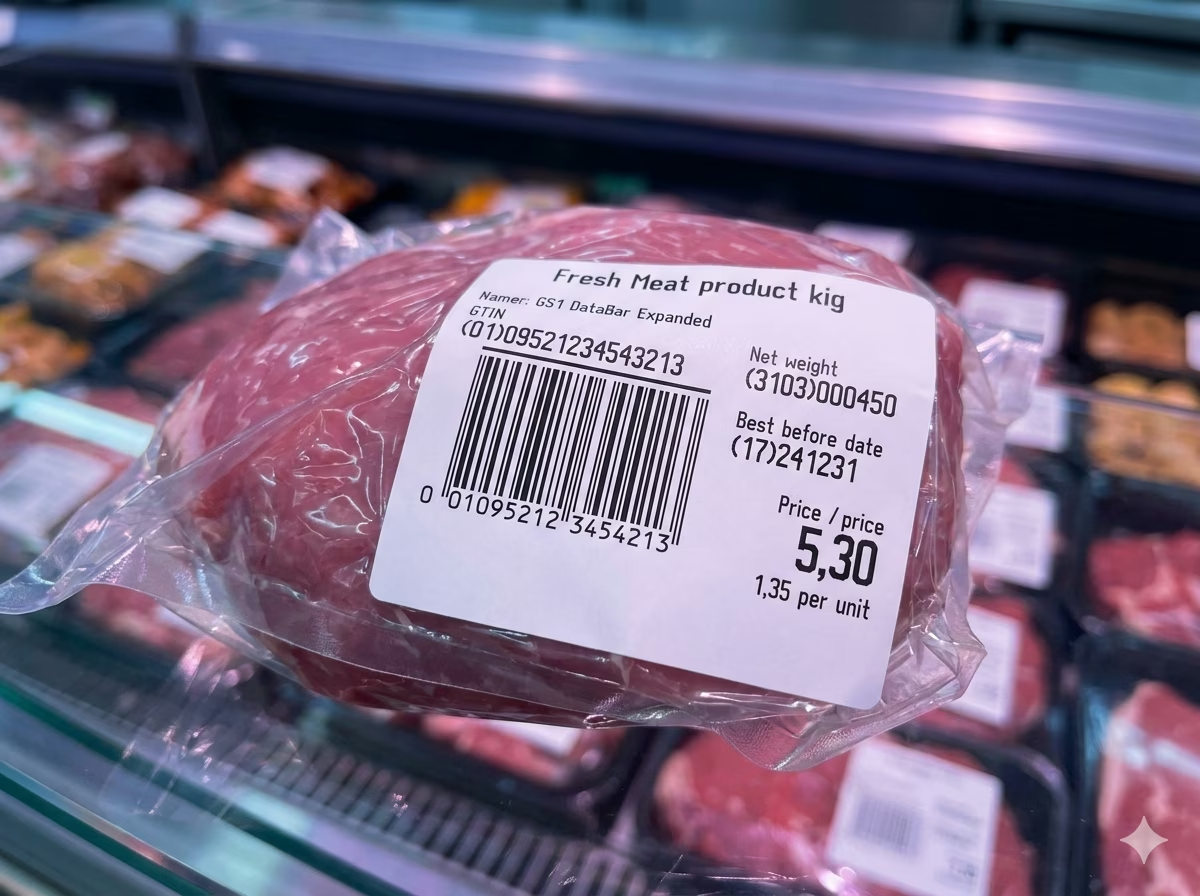
Fresh Food and Variable-Weight Produce Labels
Supermarkets and food retailers use GS1 DataBar Expanded on fresh meat, seafood, deli, bakery, and produce labels to encode GTIN, net weight (or price), and best-before date in a single scannable symbol. At POS checkout, the scanner extracts weight and price data automatically, eliminating manual keying and enabling precise per-unit pricing without separate PLU look-up systems.
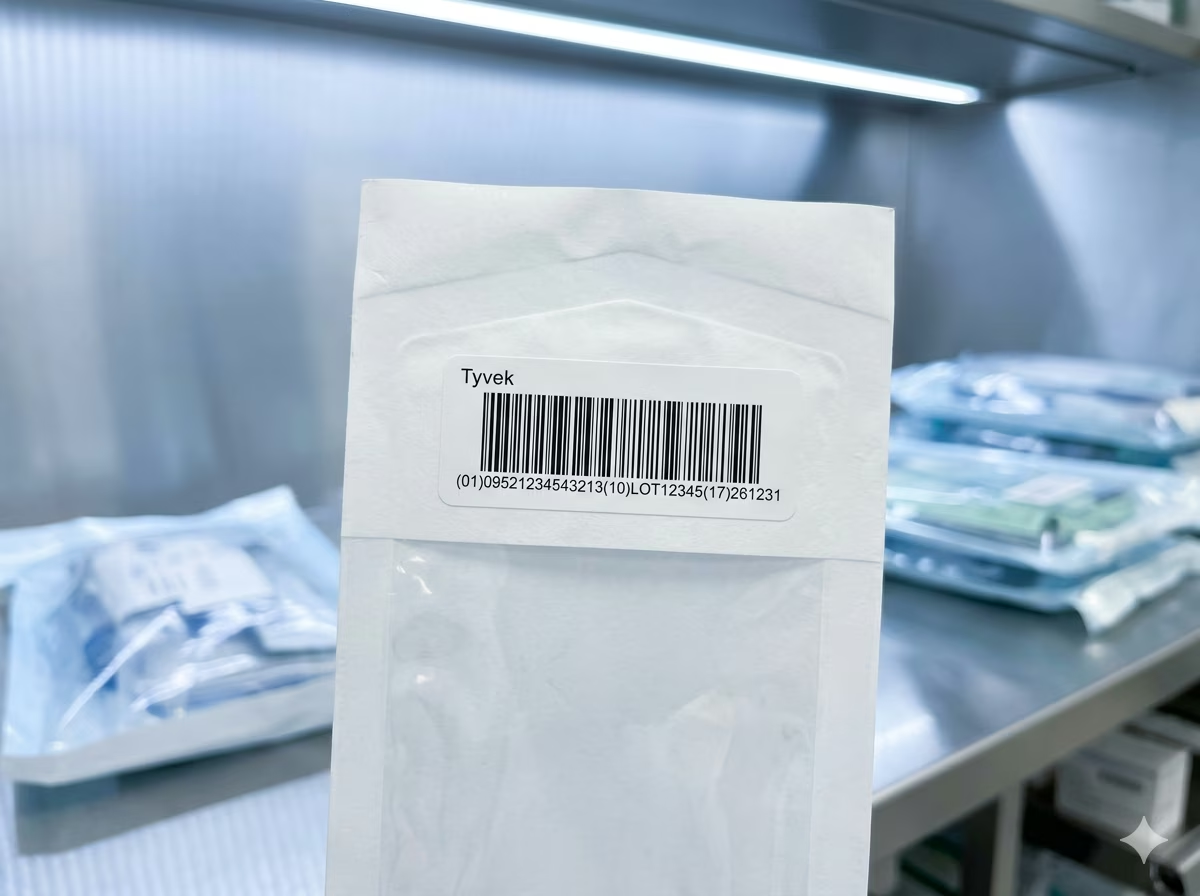
Pharmaceutical Unit-of-Sale Traceability
Pharmaceutical manufacturers and distributors apply GS1 DataBar Expanded to retail drug packaging to encode GTIN, lot number, expiration date, and in some markets a serial number — meeting regulatory traceability requirements such as the US Drug Supply Chain Security Act (DSCSA) and EU Falsified Medicines Directive. A single scan at dispensing or point-of-sale captures all required attributes simultaneously.
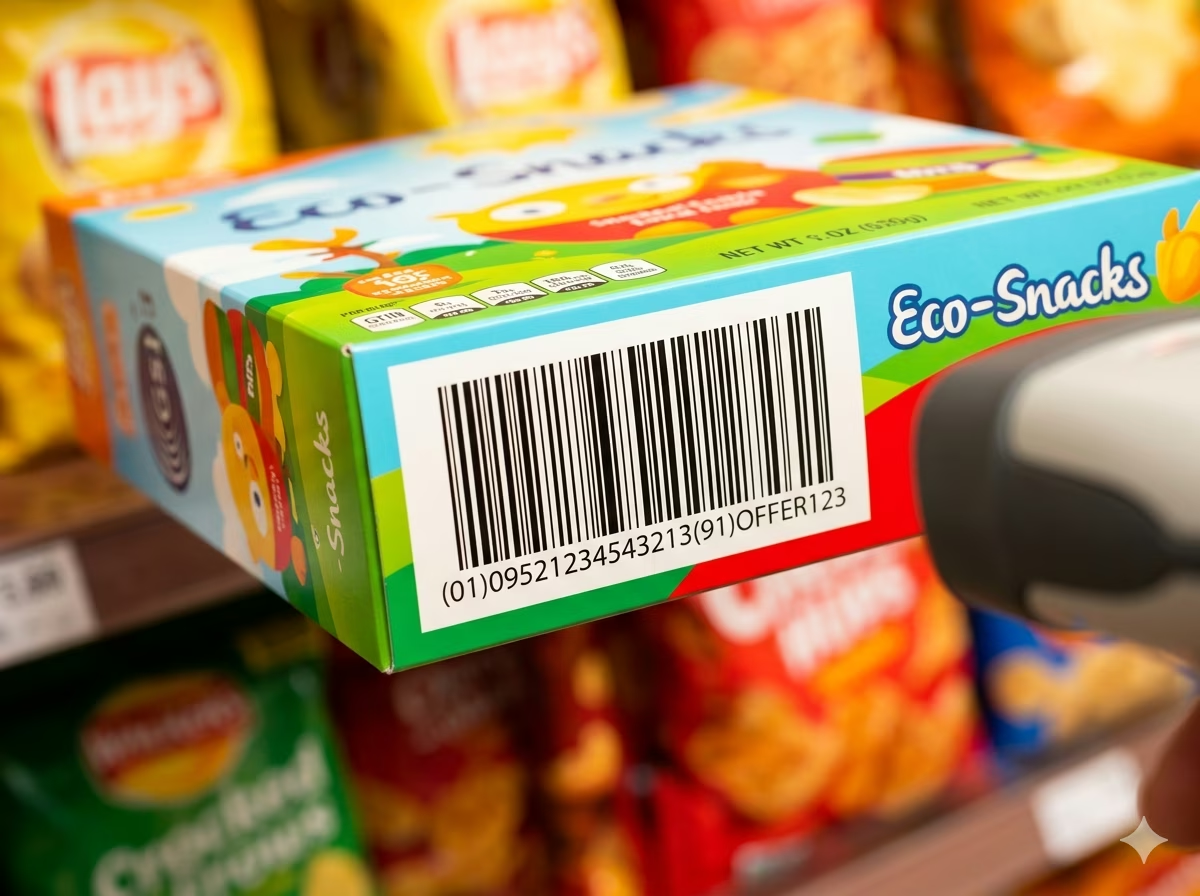
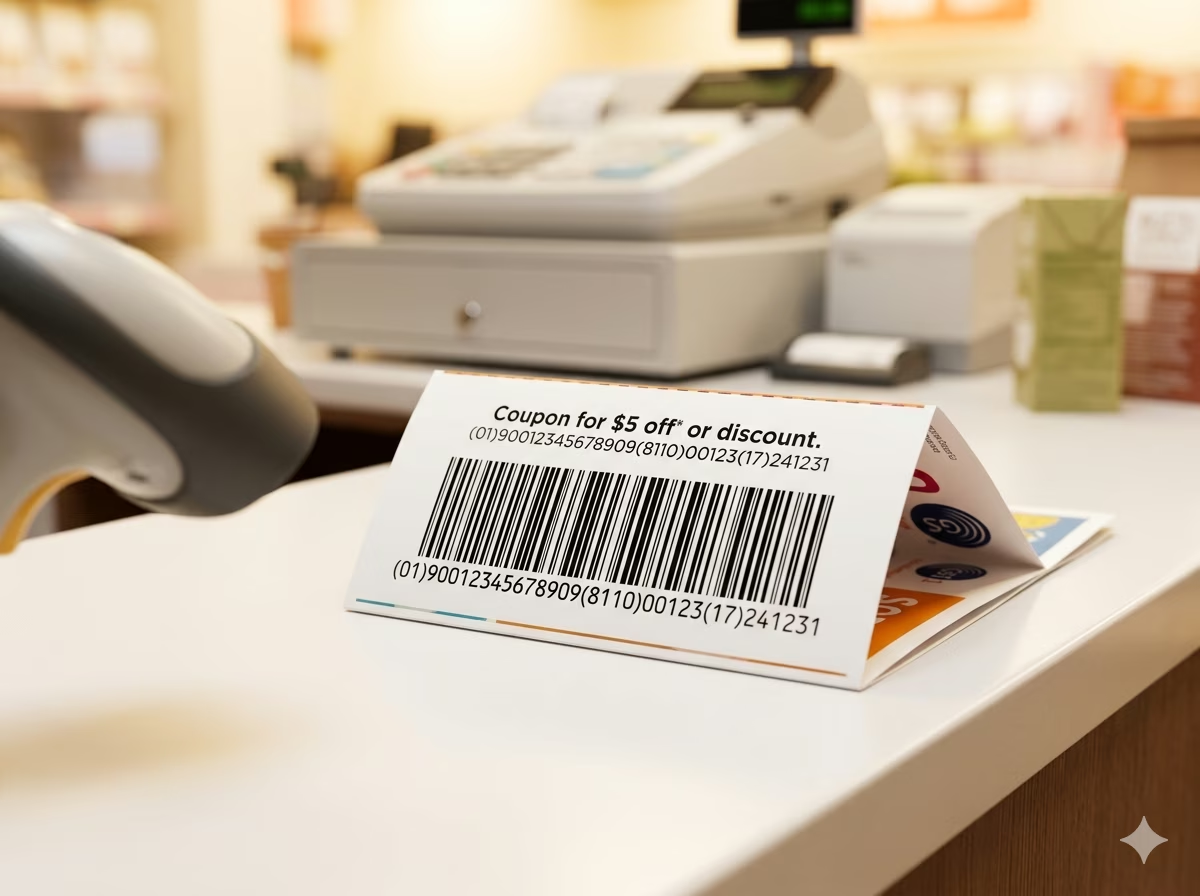
GS1 Coupon Barcodes for Retail Promotions
GS1 DataBar Expanded is the standard format for next-generation digital and paper coupons in North America and internationally. Coupon issuers encode primary company prefix, offer code, expiration date, and terms directly into the barcode. POS systems parse the structured AI data automatically to validate eligibility, apply discounts, and prevent fraud — enabling faster, more reliable coupon processing than legacy UPC coupon formats.
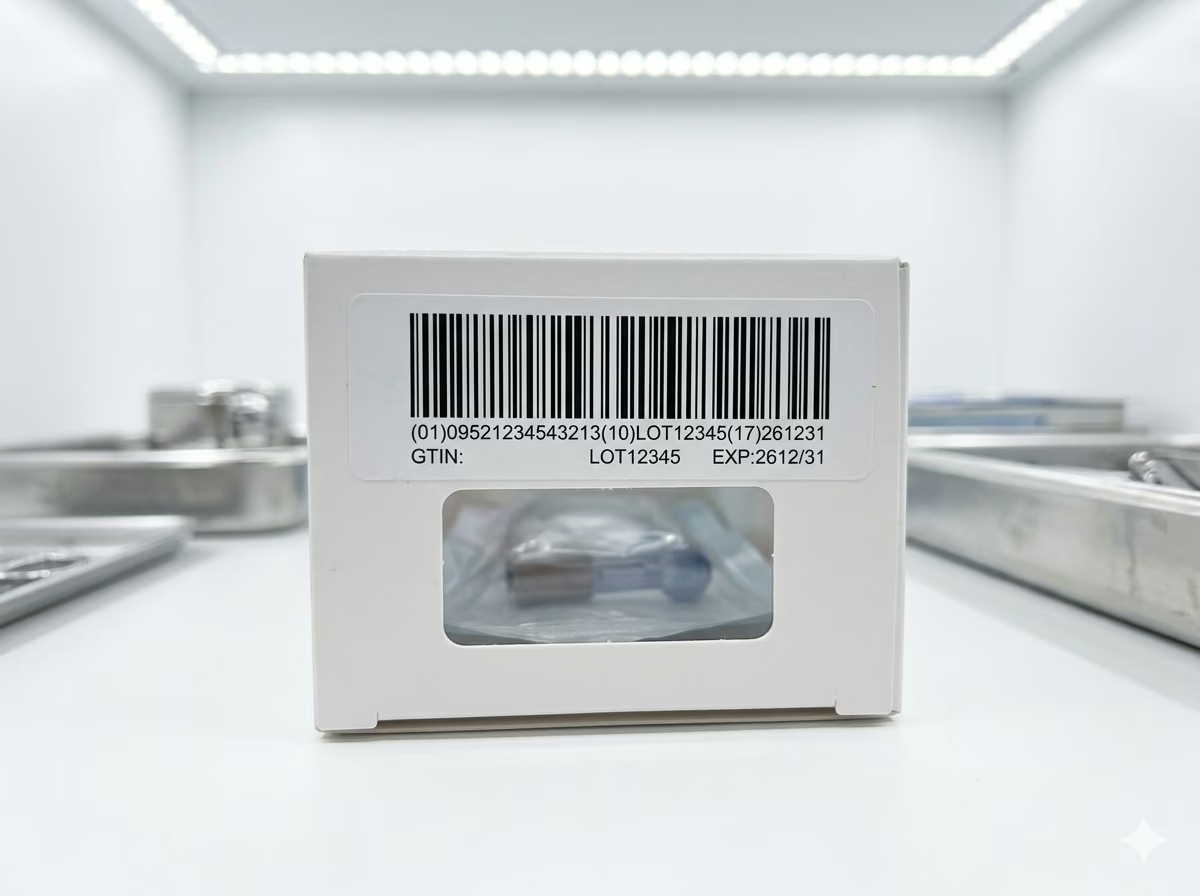
Healthcare Supply Chain and Medical Device Labels
Hospitals, GPOs, and medical device distributors use GS1 DataBar Expanded to encode GTIN-14, lot number, expiration date, and manufacturing date on unit-of-use medical device packaging. Scanning at receiving, storage, and patient point-of-care captures all traceability attributes in a single operation, supporting UDI (Unique Device Identification) compliance and bedside verification workflows.
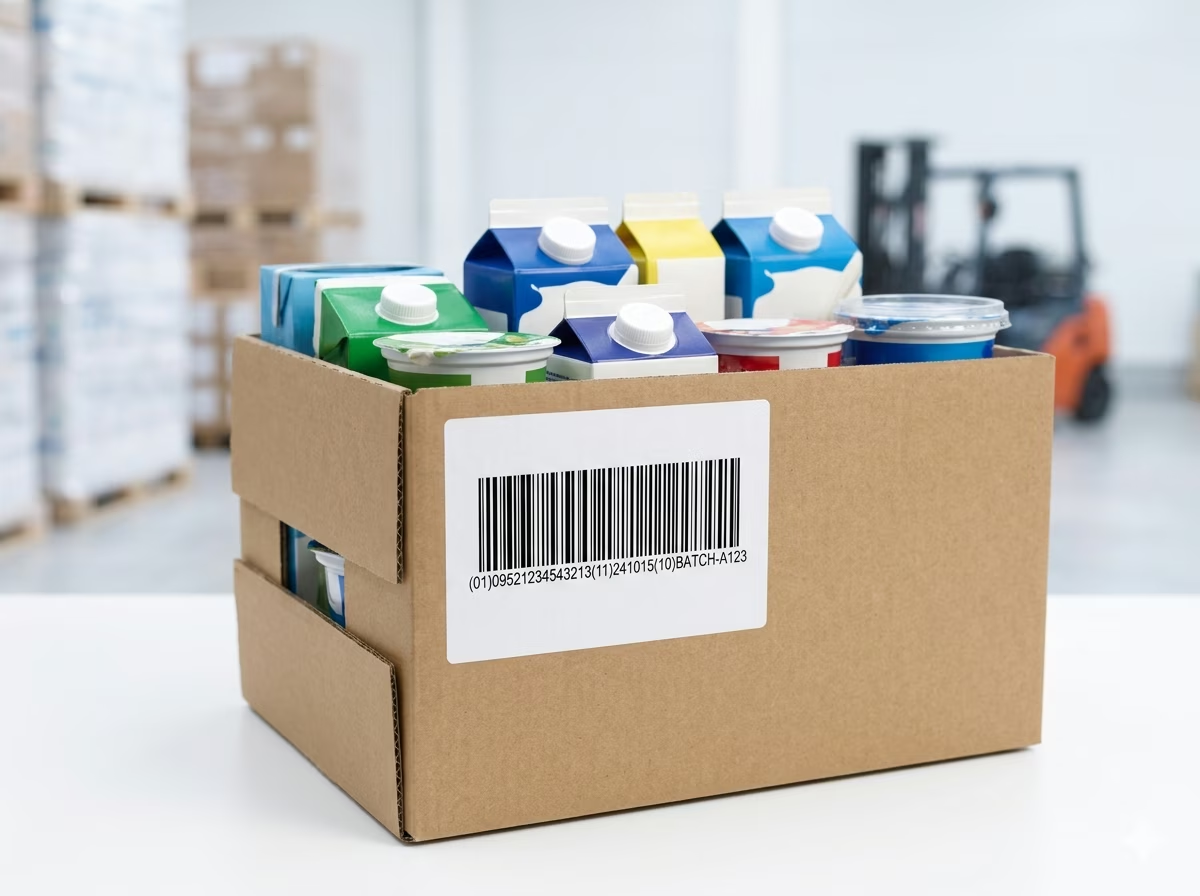
Dairy, Meat, and Perishable Supply Chain Labels
Food manufacturers and processors apply GS1 DataBar Expanded on case and inner-pack labels for dairy, processed meat, and other perishables to encode product GTIN, production date, use-by date, and batch/lot number. Downstream distributors and retailers scan the label at receiving to automatically update inventory with accurate expiry data, supporting FIFO rotation and food safety compliance.
Retail Loyalty and Promotional Label Encoding
Brands use GS1 DataBar Expanded on promotional product labels to encode extended product attributes — including promotional offer codes, loyalty points, and limited edition identifiers — alongside the primary GTIN. Retail POS systems and loyalty program scanners parse the Application Identifiers to trigger promotional pricing, track redemptions, and update customer reward balances without manual cashier input.
GS1 DataBar Expanded Barcode — Frequently Asked Questions
Technical answers to the most common questions about GS1 DataBar Expanded encoding rules, Application Identifiers, data capacity, and practical usage.
What is GS1 DataBar Expanded and how does it differ from other DataBar variants?
GS1 DataBar Expanded is the most data-rich variant in the GS1 DataBar family. Unlike GS1 DataBar Omnidirectional or GS1 DataBar Limited — which encode only a 14-digit GTIN — GS1 DataBar Expanded can encode multiple GS1 Application Identifiers in a single symbol, including GTIN, expiration date, batch/lot number, net weight, serial number, and more. GS1 DataBar Stacked is a two-row version of the omnidirectional variant and also carries only a GTIN. If you need to encode any attribute beyond the GTIN itself, GS1 DataBar Expanded is the correct choice within the DataBar family.
What GS1 Application Identifiers can be encoded in GS1 DataBar Expanded?
GS1 DataBar Expanded supports any valid GS1 Application Identifier defined in the GS1 General Specification. Commonly used AIs include: (01) GTIN-14, (17) expiration date, (10) batch/lot number, (21) serial number, (3103) net weight in grams, (3102) net weight in kilograms, (15) best-before date, (11) production date, and (3922) coupon amount off. Multiple AIs are chained in a single element string, with FNC1 used automatically as a separator between variable-length fields.
What is the maximum data capacity of GS1 DataBar Expanded?
GS1 DataBar Expanded supports a maximum payload of 74 numeric characters or 41 alphanumeric characters (from the GS1 AI encodable character set). In practice, a typical encoding of GTIN (14 digits) plus expiration date (6 digits) plus batch number (up to 20 alphanumeric characters) fits comfortably within these limits. If your element string exceeds the capacity of the linear symbol, consider GS1 DataBar Expanded Stacked, which uses multiple rows to encode longer data strings.
Is GS1 DataBar Expanded scannable at retail POS?
Yes. GS1 DataBar Expanded is approved by GS1 for point-of-sale scanning and is supported by all omnidirectional POS scanners compliant with GS1's current retail scanning standards. GS1 mandated that all compliant retail scanners be able to read GS1 DataBar symbols as part of the GS1 DataBar sunrise programme. In practice, virtually all modern flatbed and handheld POS scanners sold after 2010 support GS1 DataBar Expanded without firmware updates or reconfiguration.
How do I format the input to encode multiple Application Identifiers?
Use the standard GS1 element string format with Application Identifiers enclosed in parentheses, concatenated without spaces. For example: (01)09521234543213(17)251231(10)BATCH001 encodes a GTIN, expiration date of December 31, 2025, and lot number BATCH001. The generator parses the parenthesized AI notation and automatically inserts the required FNC1 function characters between variable-length fields. Do not insert FNC1 manually — the encoder handles it based on the AI definitions.
What is the difference between GS1 DataBar Expanded and GS1 DataBar Expanded Stacked?
GS1 DataBar Expanded is a single-row linear barcode. GS1 DataBar Expanded Stacked splits the same symbol into two or more rows, reducing the width of the barcode at the cost of increased height. Both variants encode identical data and are decoded identically by scanners. Use the linear (non-stacked) form when horizontal label space is available and height is constrained. Use the stacked form on narrow labels — such as fresh food price stickers and pharmaceutical blister packs — where the full linear width would not fit.
What quiet zone is required for GS1 DataBar Expanded?
ISO/IEC 24724 requires a minimum quiet zone of 10 times the X-dimension (module width) on the left and right of a GS1 DataBar Expanded barcode. The top and bottom quiet zones must be at least 1X. The generator automatically includes correct quiet zones at default and custom sizes. Do not crop or print over the quiet zones — insufficient quiet zones are one of the most common causes of scan failures in retail and supply chain environments.
Is my data safe when using this generator?
Yes. All GS1 DataBar Expanded encoding is performed entirely in your browser using client-side JavaScript. Your input data — including GTINs, lot codes, expiration dates, and serial numbers — is never transmitted to any server and never stored anywhere. Close the browser tab and all data is gone. This tool is safe to use with commercially sensitive product identifiers and supply chain data.
Specification reference
Read the full GS1 DataBar Expanded specification — character set, check digit, quiet zone, density, and the governing GS1 General Specifications standard — in our barcode glossary.
GS1 DataBar Expanded specificationRelated barcode types
Compare GS1 DataBar Expanded with similar symbologies, or open their full specifications.
- GS1 DataBar Stacked
The two-row stacked DataBar — 14-digit GTIN in a square-ish footprint for fresh produce stickers.
- GS1 DataBar Omnidirectional
The full-height 14-digit GS1 DataBar that scans from any angle at retail POS — successor to EAN/UPC for tiny items.
- GS1-128
Code 128 carrying GS1 Application Identifier element strings — the standard barcode of global logistics.
Related barcode tools
Need more than one barcode, a printed label sheet, or a way to check the result? These tools use the same generator, so the output matches.
- Bulk Barcode GeneratorImport Excel or CSV, paste a list, or create a sequence and get a barcode for every row. Export as PNG, SVG, JPG, or a ZIP.
- Barcode Label PrintPrint a full sheet of labels that lines up with Avery label stock, at the correct physical size.
- Barcode ScannerVerify a printed label before you run the whole batch — decode it from an image or your camera.
- Barcode MakerFull control over size, colors, font, quiet zone, and layout for a single barcode.
Generate Your GS1 DataBar Expanded Barcode Now — Free, Instant, No Account Required
This free GS1 DataBar Expanded barcode generator is ready to use immediately. Enter your GS1 element string with Application Identifiers, adjust the size and appearance, and download a print-ready PNG or SVG barcode in seconds. No signup, no watermarks, no usage limits. All encoding happens locally in your browser — your product data stays private. Generate one barcode or thousands; the tool is completely free regardless of volume.