
Free GS1 DataBar Stacked Barcode Generator — Create, Preview & Download Instantly
Generate GS1 DataBar Stacked barcodes online for free — no signup, no software, no limits. Enter a GS1 Application Identifier string and receive a compact, two-row stacked barcode in PNG or SVG format within seconds. GS1 DataBar Stacked encodes a 14-digit GTIN in a vertically stacked layout that fits on small retail items where a full-width Omnidirectional DataBar will not. Real-time preview updates as you type. Download, bulk-generate, or copy your barcode instantly.

What Is GS1 DataBar Stacked?
GS1 DataBar Stacked is a two-row linear barcode symbology that encodes a 14-digit Global Trade Item Number (GTIN) — including the mandatory Application Identifier (01) — in a compact, vertically stacked format. It is a direct stacked variant of GS1 DataBar Omnidirectional: the full symbol is split into two rows separated by a separator pattern, reducing the barcode's footprint width by approximately half while retaining the same data capacity. Standardized under ISO/IEC 24724, GS1 DataBar Stacked is approved for point-of-sale scanning and is particularly suited to fresh produce, small retail items, and coupons where label space is tightly constrained. Modern omnidirectional POS scanners can decode GS1 DataBar Stacked in any orientation, making it a practical and GS1-compliant alternative to traditional EAN/UPC symbols when a narrower barcode footprint is required.
- Two-Row Stacked Layout — Half the Width of a Standard DataBarGS1 DataBar Stacked divides the full Omnidirectional DataBar symbol into two horizontal rows, each capped by guard patterns and separated by a central separator bar. The result is a symbol that occupies roughly half the horizontal space of its non-stacked counterpart while encoding exactly the same 14-digit GTIN payload. This compact footprint makes it the right choice for narrow labels on cylindrical items, small-format fresh food packaging, and shelf-edge tags where standard EAN-13 or DataBar Omnidirectional symbols would not fit.
- Encodes a Full 14-Digit GTIN with GS1 Application Identifier (01)Every GS1 DataBar Stacked symbol carries the Application Identifier (01) followed by a 14-digit Global Trade Item Number. The GTIN-14 structure accommodates standard EAN-13 and UPC-A product codes (zero-padded to 14 digits) as well as GS1-14 trade-unit identifiers. The check digit is the final digit of the GTIN and is validated automatically by GS1-compliant scanners during decoding, ensuring data integrity at the point of sale or in distribution workflows.
- ISO/IEC 24724 Standard — GS1-Approved for POS ScanningGS1 DataBar Stacked is formally defined in ISO/IEC 24724 and is listed in the GS1 General Specifications as an approved barcode for point-of-sale scanning. Omnidirectional POS scanners that are GS1 DataBar-capable — including those deployed at major grocery chains and retail networks worldwide — can read the stacked symbol in any orientation without any special mode switching. Compliance with the GS1 standard is required for items entered into the GS1 DataBar sunset programme, where DataBar symbologies are expected to replace EAN-8 at retail.
- Automatic Check Digit ValidationThe 14th digit of the GTIN encoded in a GS1 DataBar Stacked symbol is a standard GS1 check digit calculated using the Mod 10 algorithm (alternating weight 3 and 1). This check digit is embedded in the symbol and verified automatically by every GS1-compliant scanner on decode. This generator validates the check digit of your input in real time and will flag any GTIN where the supplied check digit does not match the calculated value, preventing the creation of non-compliant barcodes before they reach a label printer.
- Omnidirectional Scan CompatibilityDespite its narrow, stacked appearance, GS1 DataBar Stacked is designed for omnidirectional decoding on modern laser and imager POS scanners. Both rows are decoded together in a single pass by a scanner that sweeps across the entire symbol height. Because the symbol contains both a top-row and a bottom-row pattern with a separator, scanners can reconstruct the full 14-digit GTIN regardless of how the label is oriented on the scan glass — an important advantage for high-speed retail checkout environments.
GS1 DataBar Stacked specifications
The two-row stacked DataBar — 14-digit GTIN in a square-ish footprint for fresh produce stickers. The table below lists the exact GS1 DataBar Stacked specifications — character set, check digit, X-dimension, quiet zone and the governing GS1 General Specifications standard — so you can size and print the symbol correctly the first time.
| Character set | Digits 0-9 only (GTIN content) |
|---|---|
| Data length | Exactly 14 digits (13 data + Mod 10 check) |
| Check digit | Mandatory Mod 10 check digit |
| Density | 14 digits in 50×26 modules (two stacked rows plus separator) |
| X-dimension (module width) | 0.25-0.50 mm typical; small stickers often run 0.25 mm X |
| Quiet zone | 1X recommended around the whole stacked symbol |
| Symbol size | X-dimension 0.25 mm minimum for POS scanning |
| Module structure | Variable-width bars and spaces |
| Standard | GS1 General Specifications |
| Introduced | 2001 — GS1 (as RSS-14 Stacked, renamed 2007) |
Typical uses: Fresh produce stickers and labels; Small-item POS marking in near-square footprints; Loose goods identification at checkout.
How GS1 DataBar Stacked compares to similar barcode types
Choosing the wrong symbology is the most common cause of barcodes that scan in the warehouse but get rejected downstream. This table compares GS1 DataBar Stacked with the formats most often confused with it, on the three properties that decide compatibility: character set, check digit, and quiet zone.
| Symbology | Character set | Check digit | Quiet zone |
|---|---|---|---|
| GS1 DataBar Stacked(this page) | Digits 0-9 only (GTIN content) | Mandatory Mod 10 check digit | 1X recommended around the whole stacked symbol |
| GS1 DataBar Omnidirectional | Digits 0-9 only (GTIN content) | Mandatory Mod 10 check digit | 1X recommended (GS1); extremely compact margins |
| GS1 DataBar Expanded | GS1 AI element strings — numeric AIs with some alphanumeric fields (max 41 alpha / 74 numeric chars) | GTIN Mod 10 check digit embedded in the AI (01) element; no separate symbol check digit | 1X recommended |
| EAN-13 | Digits 0-9 only | Mandatory Mod 10 check digit, computed from the first 12 digits | 11X on the left, 7X on the right |
How to Create a GS1 DataBar Stacked Barcode — Step-by-Step
Creating a scannable, print-ready GS1 DataBar Stacked barcode with this free online generator takes under a minute. Follow these four steps:
Enter Your GTIN Data
Type or paste your GS1 DataBar Stacked input into the data field. The expected format is the Application Identifier (01) followed by a 14-digit GTIN — for example, (01)09521234543213. You can enter the value with or without parentheses around the AI prefix; the generator accepts both formats. If your product is identified by an EAN-13 or UPC-A code, prepend a leading zero to expand it to 14 digits before encoding.
Adjust Size and Appearance
Use the options panel to set the symbol height, module width, and quiet zone margin. Toggle the human-readable GTIN text on or off depending on your label design requirements. The live preview reflects every adjustment instantly — verify that the stacked rows are visually balanced and that the symbol dimensions match your label stock before downloading.
Preview and Validate
Confirm that the barcode preview looks correct: both rows must be clearly separated, the guard patterns on the left and right edges should be visible, and the human-readable text (if enabled) should match your input GTIN exactly. For POS label applications, scan the on-screen barcode preview with a mobile scanner app to verify that the full 14-digit GTIN is decoded correctly before printing.
Download or Copy
Click the PNG download button for a raster image suitable for label software, Word documents, or email. Click SVG for a resolution-independent vector file ready for Illustrator, Inkscape, or direct web embedding. For bulk jobs, switch to the bulk input panel, paste your list of GTINs (one per line), and download a ZIP archive of all barcodes at once.
Who Should Use This GS1 DataBar Stacked Barcode Generator?
This free online GS1 DataBar Stacked generator is built for anyone who needs compact, GS1-compliant barcodes for small-format retail labeling without investing in specialized software. Here is who benefits most.
Grocery Retailers and Fresh Produce Suppliers
Generate GS1 DataBar Stacked labels for fresh produce, loose bakery items, deli counters, and small grocery packages where EAN-13 symbols are too wide for the available label space. Import GTIN lists from your product database and produce print-ready label barcodes in bulk at no cost.
Pharmacy and Health Product Brands
Create GS1 DataBar Stacked symbols for small OTC drug packaging, blister packs, and sample-size health products that cannot accommodate a full EAN-13. Produce GS1-compliant barcodes verified against the Mod 10 check digit to ensure reliable scanning at pharmacy POS terminals.
Coupon and Loyalty Programme Managers
Produce GS1 DataBar Stacked barcodes for printed coupons, in-store promotional vouchers, and loyalty reward offers. The compact stacked symbol fits within the narrow barcode strip on a standard coupon design and decodes reliably on omnidirectional retail scanners regardless of coupon orientation.
Developers and GS1 Compliance Teams
Quickly generate GS1 DataBar Stacked reference barcodes to validate scanner configuration, test DataBar support in POS middleware, or verify correct GTIN formatting and check digit logic before deploying a production label encoding pipeline. No local barcode library setup required.
GS1 DataBar Stacked Barcode Generator Features
Everything you need to create production-quality GS1 DataBar Stacked barcodes — from real-time GTIN validation and live preview to bulk generation, size controls, and lossless SVG output.
Real-Time GS1 Input Validation
As you type your GTIN, the generator validates the Application Identifier prefix, the 14-digit structure, and the Mod 10 check digit in real time. Errors are flagged immediately — before any barcode is rendered — so you can correct the input before it reaches a printer or label system. This prevents the most common cause of non-scannable DataBar barcodes: an incorrect or missing check digit in the source data.
Real-Time Preview as You Type
The barcode preview refreshes live with every keystroke. You can see both stacked rows, the separator pattern, and the human-readable GTIN interpretation update instantly as you edit the input value. For critical POS label applications, scan the on-screen preview with a mobile barcode scanner app to confirm readability before committing to a print run.
PNG and SVG Download
Download your GS1 DataBar Stacked barcode as a high-resolution PNG for documents, label templates, and print workflows, or as a lossless SVG for resolution-independent output in Illustrator, Inkscape, or direct HTML embedding. SVG DataBar Stacked symbols scale to any size without pixelation — ideal for large-format printing or screen display at high density.
Adjustable Height, Width, and Quiet Zone
Control the visual parameters of your GS1 DataBar Stacked barcode: symbol height per row, module X-dimension, and quiet zone on each side. ISO/IEC 24724 requires a minimum quiet zone of 10 X-dimensions on the left and right of the symbol; correct quiet zones are included automatically. Adjusting row height affects scanner readability — use the live preview to verify that the printed size will meet your scanner's minimum decode height requirement.
Human-Readable Text — Show or Hide
Toggle the human-readable interpretation (HRI) text on or off. When enabled, the 14-digit GTIN is displayed beneath the stacked symbol in a clear font, allowing operators to read and verify the product code without a scanner. HRI display is recommended for retail shelf labels and produce stickers. Disable it for space-constrained tags or when the value is printed elsewhere on the label.
Bulk Barcode Generation
Generate hundreds of GS1 DataBar Stacked barcodes in a single operation using the bulk input panel. Enter one GTIN per line, or import a CSV file from your product database, and download all barcodes as a ZIP archive of PNG or SVG files. Ideal for produce departments managing large SKU catalogs, coupon programs with unique identifiers, or retailers transitioning a product range to GS1 DataBar.
No Signup, No Watermarks, No Limits
This GS1 DataBar Stacked generator is entirely free with no usage caps, no account required, and no watermarks on any downloaded file. All barcode encoding and validation runs in your browser — your GTIN data is never transmitted to any server. Generate one barcode or ten thousand; the tool imposes no limits and stores no data.
GS1 DataBar Stacked Use Cases & Real-World Examples
GS1 DataBar Stacked is specifically designed for retail environments where small label space must carry a full GS1-compliant product identifier. Here are the most common real-world applications.
Fresh Produce and Small Grocery Items
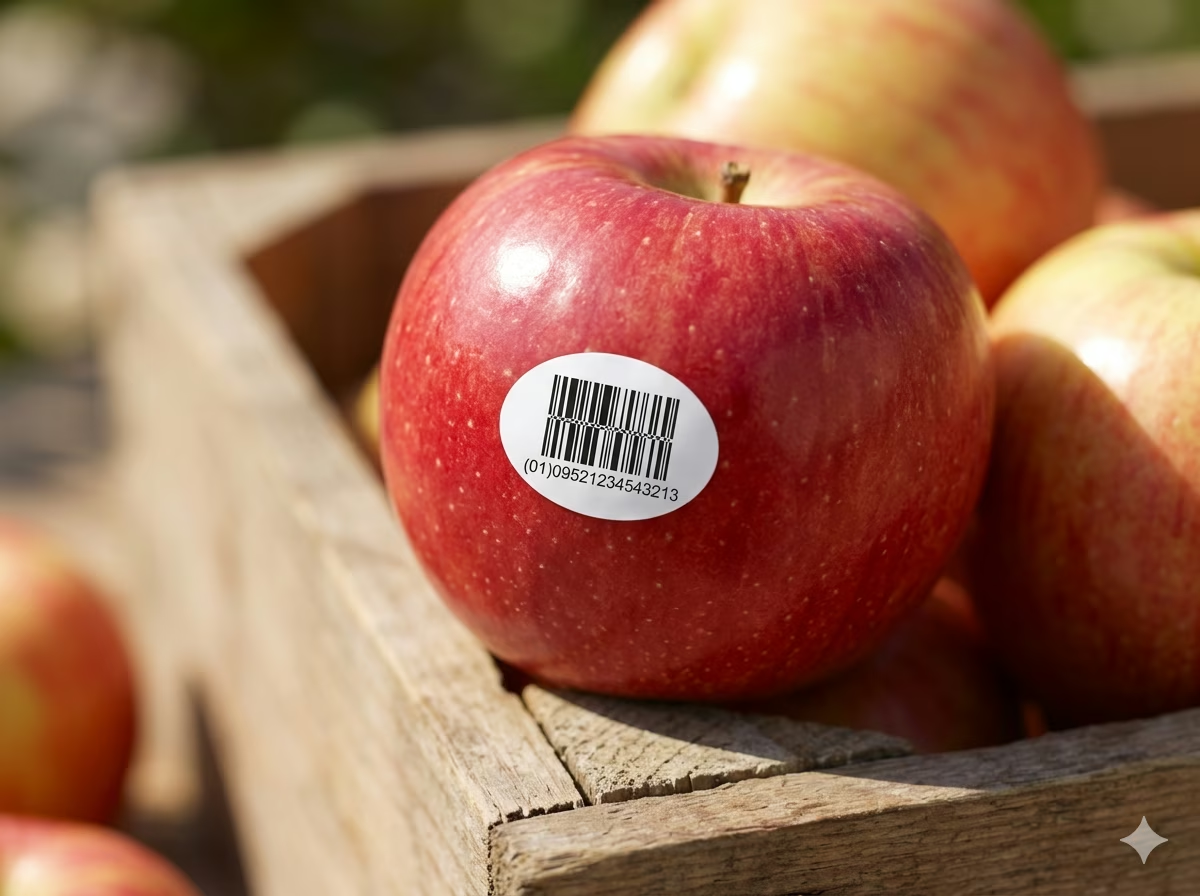
GS1 DataBar Stacked is the preferred barcode for fresh produce, herbs, small fruits, and individually packaged grocery items where label surface area is minimal. Its stacked two-row layout encodes a full GTIN-14 in a footprint narrow enough to fit on a small sticker attached to a single apple, a bunch of radishes, or a loose bakery item — items that cannot accommodate a standard EAN-13.
Retail Coupons and Promotional Vouchers
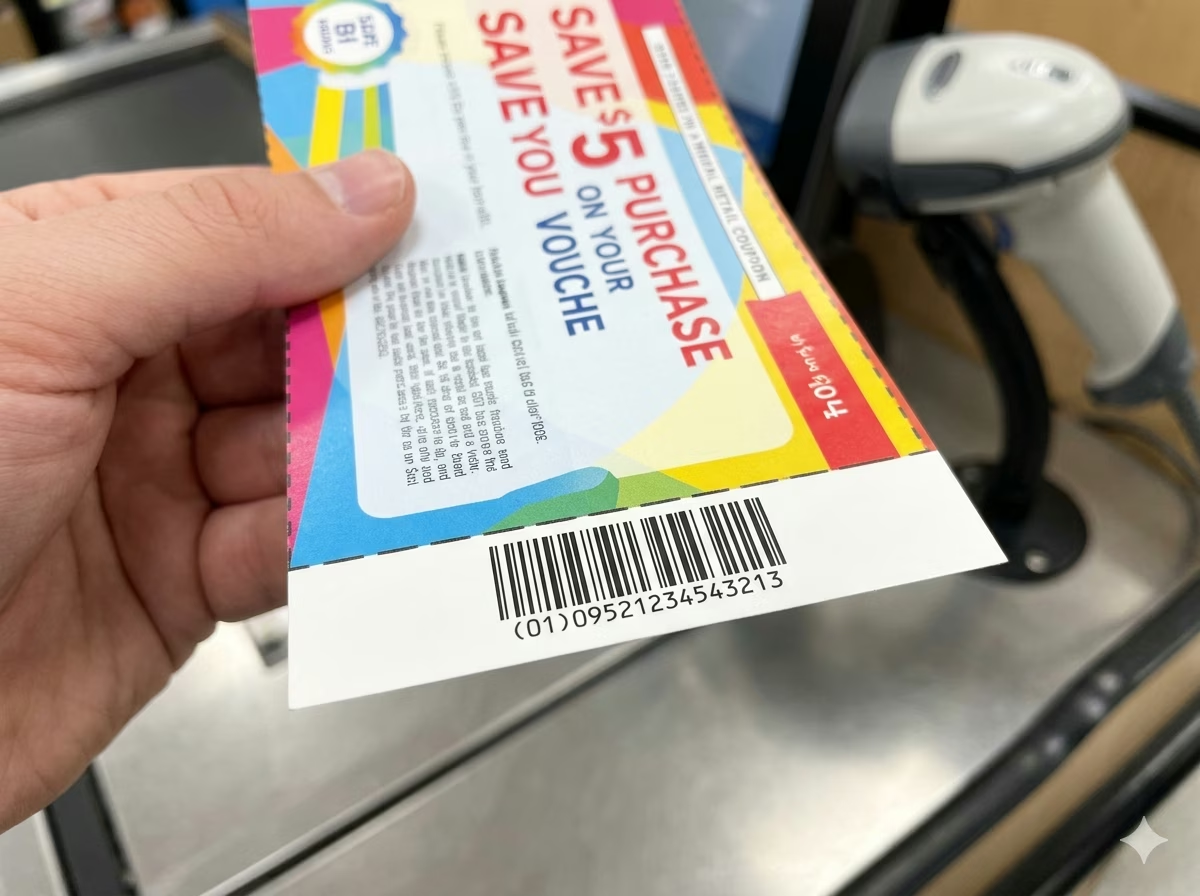
GS1 DataBar Stacked is widely used for printed and digital coupons in North American retail. Its compact footprint allows the GTIN to be encoded in a narrow strip at the bottom of a coupon voucher, while the stacked layout ensures reliable omnidirectional decode at a standard POS laser scanner — even when the coupon is crumpled or held at an angle.

Pharmacy and OTC Drug Packaging
Small over-the-counter pharmaceutical packages — blister packs, single-dose sachets, and sample-size bottles — frequently use GS1 DataBar Stacked when the available label area is too small for an EAN-13. The symbol encodes the product GTIN and is scannable at pharmacy POS terminals and hospital dispensing systems that support GS1 DataBar symbologies.

Cosmetics and Personal Care Items
Lipstick cases, mascara tubes, and other narrow cylindrical cosmetics often carry GS1 DataBar Stacked because the barcode must fit within the curved label area or a narrow wrap-around strip. Unlike EAN-8 — which requires a GS1 allocation and encodes only 8 digits — DataBar Stacked encodes the product's full GTIN-13 (zero-padded to 14 digits) in a similar physical footprint.
GS1 DataBar Sunrise Programme Compliance
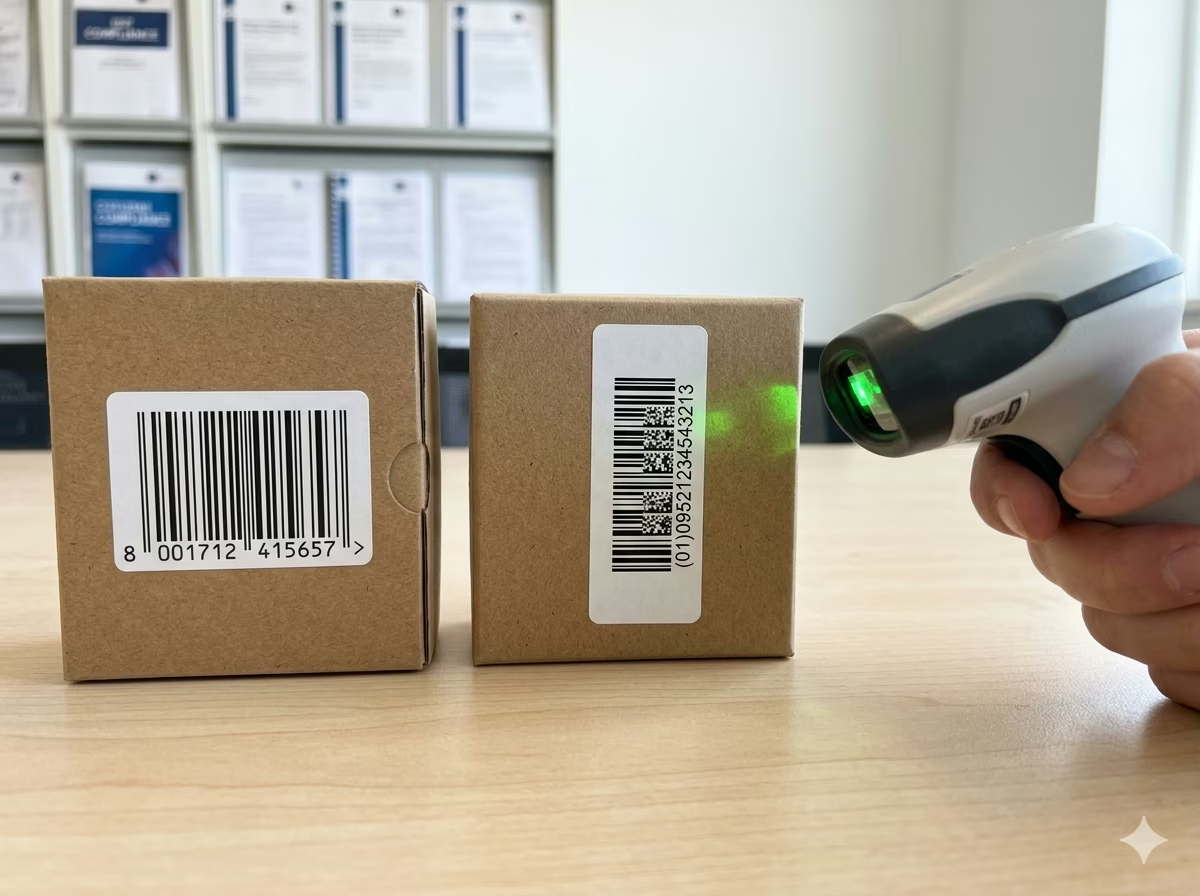
GS1's DataBar Sunrise initiative requires POS systems worldwide to support GS1 DataBar symbologies for retail scanning. Retailers and brands participating in the Sunrise programme may need to add DataBar Stacked symbols to products that previously used EAN-8 or UPC-E, particularly small-format items. This generator produces GS1-compliant DataBar Stacked symbols ready for Sunrise compliance testing.
Shelf-Edge and Price Labels in Grocery Retail
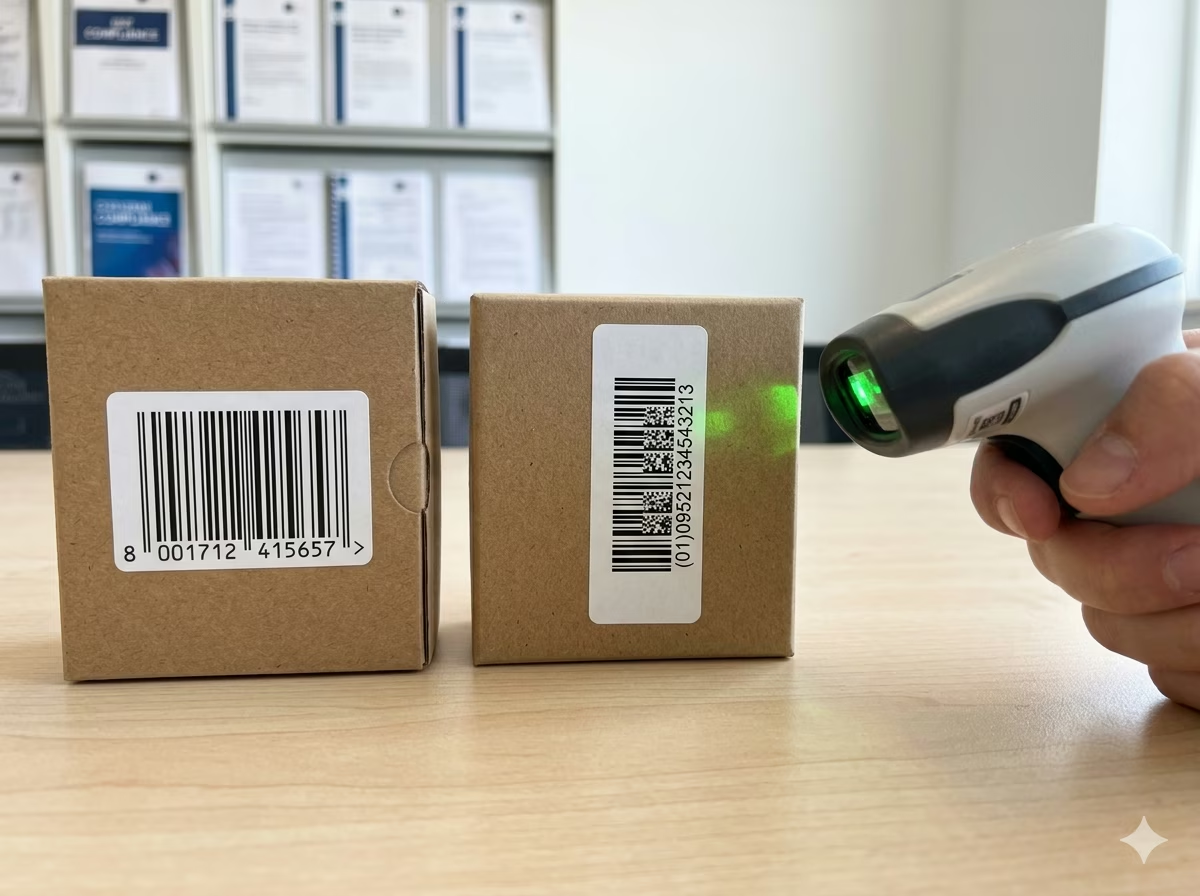
Grocery shelf-edge labels frequently incorporate a barcode to enable rapid price-check scanning and inventory replenishment workflows. GS1 DataBar Stacked fits into the narrow vertical space of a standard shelf talker where an EAN-13 or full-width DataBar Omnidirectional would not. Retailers can generate shelf-label barcodes in bulk from their product database and print directly to label stock without dedicated label software.
GS1 DataBar Stacked Barcode — Frequently Asked Questions
Technical answers to the most common questions about GS1 DataBar Stacked encoding rules, GTIN structure, scan compatibility, and practical usage.
What is GS1 DataBar Stacked and how does it differ from GS1 DataBar Omnidirectional?
GS1 DataBar Stacked is a two-row stacked variant of GS1 DataBar Omnidirectional. Both symbologies encode exactly the same data payload: an Application Identifier (01) and a 14-digit GTIN. The difference is physical layout. DataBar Omnidirectional is a single-row symbol with a fixed height of 33 modules and a minimum width that scales with the X-dimension. DataBar Stacked splits this single row into two shorter rows separated by a separator pattern, reducing the symbol's width by approximately half at the cost of increased symbol height. Use DataBar Stacked when horizontal space on the label is constrained but there is enough vertical room for two rows.
What data can GS1 DataBar Stacked encode?
GS1 DataBar Stacked encodes exactly one data element: the Application Identifier (01) followed by a 14-digit Global Trade Item Number (GTIN-14). It does not support extended Application Identifiers such as expiry dates, batch numbers, or serial numbers — those require GS1 DataBar Expanded Stacked. The GTIN must be exactly 14 numeric digits including the check digit. Standard EAN-13 and UPC-A product codes can be encoded by zero-padding them to 14 digits (e.g., 0 + 13-digit EAN-13).
Can GS1 DataBar Stacked be scanned at retail POS?
Yes, provided the POS scanner is GS1 DataBar-capable. GS1 has required all POS scanning systems sold after 1 January 2010 to support GS1 DataBar symbologies including DataBar Stacked as part of its Sunrise programme. Modern omnidirectional laser scanners and 2D imagers from Honeywell, Zebra, Datalogic, and other vendors can decode DataBar Stacked in any orientation. If you are unsure whether your installed scanners support DataBar Stacked, consult your scanner vendor's specification sheet or contact your GS1 Member Organisation.
How do I enter a GTIN for GS1 DataBar Stacked?
Enter the Application Identifier (01) followed by your 14-digit GTIN. You can use either the bracketed format — (01)09521234543213 — or the unbracketed format — 0109521234543213. The generator accepts both. If your product has an EAN-13 barcode (13 digits), prepend a single zero to make it 14 digits: for example, EAN-13 9521234543213 becomes GTIN-14 09521234543213. The final digit of the 14-digit string is the GS1 Mod 10 check digit, which is validated automatically.
Does GS1 DataBar Stacked include a check digit?
Yes. The 14th digit of the encoded GTIN is a check digit calculated using the GS1 standard Mod 10 algorithm (alternating multipliers 3 and 1). This check digit is embedded in the barcode symbol and verified automatically by every GS1-compliant scanner on decode. This generator validates the check digit of your input in real time and will alert you if the supplied check digit is incorrect — preventing the creation of non-compliant barcodes before printing.
What is the minimum size for a scannable GS1 DataBar Stacked barcode?
ISO/IEC 24724 and the GS1 General Specifications define the minimum X-dimension (module width) for GS1 DataBar Stacked as 0.264mm (10 mils) for POS applications, with a nominal X-dimension of 0.330mm. At nominal X-dimension, the symbol is approximately 26.7mm wide (excluding quiet zones) and around 13.6mm tall across both rows including the separator. A minimum quiet zone of 10 X-dimensions is required on each side. Symbols printed below the minimum X-dimension may fail to scan reliably on standard retail scanners.
What is the difference between GS1 DataBar Stacked and GS1 DataBar Expanded Stacked?
GS1 DataBar Stacked encodes only the Application Identifier (01) and a 14-digit GTIN — nothing more. GS1 DataBar Expanded Stacked can encode multiple Application Identifiers in a single symbol, such as GTIN + expiry date (17) + batch number (10) + net weight (3103). DataBar Expanded Stacked is the choice when the product requires additional supply chain data beyond just the product identifier. DataBar Stacked is the simpler, narrower option when only the GTIN needs to be encoded.
Is my GTIN data safe when using this generator?
Yes. All GS1 DataBar Stacked encoding and GTIN validation runs entirely in your browser using client-side JavaScript. Your product identifiers and GTIN data are never transmitted to any server and are never stored anywhere. Close the browser tab and all input data is gone. This tool is safe to use with internal product codes, unreleased GTINs, and any commercially sensitive identifiers.
Specification reference
Read the full GS1 DataBar Stacked specification — character set, check digit, quiet zone, density, and the governing GS1 General Specifications standard — in our barcode glossary.
GS1 DataBar Stacked specificationRelated barcode types
Compare GS1 DataBar Stacked with similar symbologies, or open their full specifications.
- GS1 DataBar Omnidirectional
The full-height 14-digit GS1 DataBar that scans from any angle at retail POS — successor to EAN/UPC for tiny items.
- GS1 DataBar Expanded
The variable-length DataBar carrying GTIN plus extra AI data — weights, dates, lot numbers — on fresh food.
- EAN-13
The 13-digit retail point-of-sale barcode used on consumer products worldwide outside North America.
Related barcode tools
Need more than one barcode, a printed label sheet, or a way to check the result? These tools use the same generator, so the output matches.
- Bulk Barcode GeneratorImport Excel or CSV, paste a list, or create a sequence and get a barcode for every row. Export as PNG, SVG, JPG, or a ZIP.
- Barcode Label PrintPrint a full sheet of labels that lines up with Avery label stock, at the correct physical size.
- Barcode ScannerVerify a printed label before you run the whole batch — decode it from an image or your camera.
- Barcode MakerFull control over size, colors, font, quiet zone, and layout for a single barcode.
Generate Your GS1 DataBar Stacked Barcode Now — Free, Instant, No Account Required
This free GS1 DataBar Stacked barcode generator is ready to use immediately. Enter your GTIN, adjust the symbol size and appearance, and download a print-ready PNG or SVG barcode in seconds. No signup, no watermarks, no usage limits. All encoding and validation happen locally in your browser — your product data stays private. Generate one barcode or thousands; the tool is completely free regardless of volume.