
Free ISBN Barcode Generator — Create, Preview & Download Instantly
Generate ISBN barcodes online for free — no signup, no software, no limits. Enter your ISBN-13 or ISBN-10 number and get a crisp, scannable barcode in PNG or SVG format within seconds. ISBN barcodes are the globally required identifier for books and print publications, used at every point of the publishing supply chain — from printer to distributor to retail point-of-sale. Automatic check digit validation ensures your barcode is always correct. Supports ISBN-13 standalone barcodes and ISBN-13 with EAN-5 price add-on. Real-time preview updates as you type. Download, bulk-generate, or copy your barcode instantly.

What Is an ISBN Barcode?
ISBN stands for International Standard Book Number — the globally recognized unique identifier assigned to every published book, e-book edition, audiobook, and similar text publication. Governed by ISO 2108 and administered by the International ISBN Agency through a network of national registration agencies, the ISBN system uses the GS1 prefix group 978 (and the expanding 979 range) to encode book identifiers as EAN-13 barcodes. An ISBN barcode on the back cover of a book allows retailers, distributors, libraries, and point-of-sale systems worldwide to identify and process the exact title, edition, and binding format — hardcover, paperback, large print, and so on — without human intervention. Modern ISBN-13 barcodes are EAN-13 symbols, meaning they are read by standard retail barcode scanners with no special hardware. A Mod 10 check digit is appended automatically to every ISBN barcode, providing built-in error detection that prevents misidentification in high-volume retail and library scanning environments.
- The Global Standard for Book IdentificationThe ISBN is the only internationally standardized identifier dedicated to books and text publications. Every distinct product form of a title — hardcover, trade paperback, mass-market paperback, large-print edition, revised edition — receives its own unique ISBN. This granularity allows booksellers, online retailers, wholesalers, and libraries to distinguish between editions precisely, preventing fulfillment errors, catalog mismatches, and duplicate inventory entries. Publishers of all sizes — from global houses to self-published authors — use ISBN barcodes to make their titles orderable and stockable through professional distribution channels.
- EAN-13 Barcode Format with 978 / 979 GS1 PrefixISBN barcodes are encoded as EAN-13 symbols — the same linear 1D barcode used on consumer goods worldwide — using the GS1 prefix group 978 (Bookland) and the expanding 979 range. Because ISBN encodes as standard EAN-13, any barcode scanner capable of reading retail product codes can read an ISBN barcode without special configuration. The 13-digit structure is: three-digit GS1 prefix (978 or 979), registration group, publisher prefix, title number, and one Mod 10 check digit. This design gives ISBN barcodes full compatibility with all retail point-of-sale hardware, library systems, and warehouse management platforms.
- ISBN-13 with Optional EAN-5 Price Add-OnIn many publishing markets — particularly North America — ISBN barcodes are printed with an EAN-5 supplemental symbol to the right of the main barcode. This five-digit add-on encodes a suggested retail price or currency indicator, allowing point-of-sale systems to capture pricing information from the barcode itself. The EAN-5 supplement is optional: the main ISBN-13 barcode is complete and scannable without it. When a price supplement is needed, this generator supports combined ISBN-13 + EAN-5 output. The standard EAN-5 price encoding uses a leading digit for currency (5 = USD) followed by a four-digit price.
- Automatic Mod 10 Check Digit CalculationThe 13th digit of every ISBN-13 barcode is a check digit calculated using the EAN-13 Mod 10 weighted algorithm — alternating weights of 1 and 3 applied to the first 12 digits. For ISBN-10 input, this generator automatically converts the number to ISBN-13 format and computes the correct check digit. The check digit is appended automatically — you never need to calculate it manually. Scanners verify the check digit on every read and reject invalid codes, preventing book misidentification at retail checkouts, library acquisitions, and distributor receiving systems.
- ISBN-10 to ISBN-13 Automatic ConversionBooks published before 2007 were assigned 10-digit ISBNs under the older standard. While ISBN-10 is no longer issued for new publications, the existing catalog of ISBN-10 titles remains in active use. This generator accepts ISBN-10 input and automatically converts it to the equivalent ISBN-13 (978-prefixed) barcode for printing — the format required by all current retail and library systems. The conversion prepends the 978 prefix, drops the old check digit, and recalculates the correct EAN-13 check digit for the new 13-digit number.
ISBN specifications
The book trade's EAN-13 — an ISBN-13 product number, usually with a 5-digit price add-on. The table below lists the exact ISBN specifications — character set, check digit, X-dimension, quiet zone and the governing ISO 2108 (numbering); GS1 General Specifications (symbol) standard — so you can size and print the symbol correctly the first time.
| Character set | Digits 0-9 only (13-digit ISBN/EAN; 5-digit add-on) |
|---|---|
| Data length | ISBN-13: exactly 13 digits; plus optional 5-digit price supplement |
| Check digit | Mandatory Mod 10 check digit (same algorithm as EAN-13) |
| Density | Same as EAN-13 plus EAN-5 add-on width |
| X-dimension (module width) | Nominal 0.33 mm X at 100% magnification |
| Quiet zone | 11X left / 7X right (EAN-13 geometry) |
| Magnification | 80%-200% of nominal, add-on matching the main symbol |
| Bar / space ratio | Variable-width bars and spaces (EAN structure) |
| Standard | ISO 2108 (numbering); GS1 General Specifications (symbol) |
| Introduced | 1970 — Gordon Foster, David Whitaker, Emery Koltay (ISBN); EAN-13 carrier since 2007 (979 prefix expansion) |
Typical uses: Book retail POS scanning and price lookup; Publisher, distributor, and retailer inventory; Library acquisition and circulation systems; Sales-data tracking for the book trade.
How ISBN compares to similar barcode types
Choosing the wrong symbology is the most common cause of barcodes that scan in the warehouse but get rejected downstream. This table compares ISBN with the formats most often confused with it, on the three properties that decide compatibility: character set, check digit, and quiet zone.
| Symbology | Character set | Check digit | Quiet zone |
|---|---|---|---|
| ISBN(this page) | Digits 0-9 only (13-digit ISBN/EAN; 5-digit add-on) | Mandatory Mod 10 check digit (same algorithm as EAN-13) | 11X left / 7X right (EAN-13 geometry) |
| EAN-13 | Digits 0-9 only | Mandatory Mod 10 check digit, computed from the first 12 digits | 11X on the left, 7X on the right |
| EAN-5 | Digits 0-9 only | Hidden Mod 10 check digit encoded in the parity pattern, not printed as text | Shared line with the main symbol; separator space between main and add-on |
| ISMN | Digits 0-9 only | Mandatory Mod 10 check digit | 11X left / 7X right |
| ISSN | Digits 0-9 only | ISSN uses Mod 11 (X possible); the EAN-13 carrier uses Mod 10 | 11X left / 7X right |
How to Create an ISBN Barcode — Step-by-Step
Creating a valid, print-ready ISBN barcode with this free online generator takes under a minute. Follow these four steps:
Enter Your ISBN Number
Type or paste your ISBN into the input field. Both ISBN-10 and ISBN-13 are accepted, with or without hyphens or spaces (e.g., 978-1-56581-231-4, 9781565812314, or 1-56581-231-5 are all valid inputs). The generator detects the format automatically, converts ISBN-10 to ISBN-13 if needed, validates the check digit, and generates the barcode. To add an EAN-5 price supplement for North American retail, append the five-digit price code after a space (e.g., 978-1-56581-231-4 90000).
Adjust Size and Appearance
Use the settings panel to set bar height, module width, and quiet zone to match your book cover specifications. Standard retail ISBN barcodes on paperback and hardcover books are typically printed at an X-dimension of 0.33mm and a bar height of 25.9mm per GS1 guidelines, but dimensions can be adjusted for oversized or small-format publications. Toggle the human-readable ISBN digits on or off. The live preview reflects every adjustment instantly.
Preview and Validate
Confirm the barcode preview is correct: verify the 13-digit ISBN displayed beneath the bars matches your intended number, that the 978 or 979 prefix is present, and that quiet zones on both sides are visually clear. For print runs, scan the on-screen preview with a mobile barcode scanner app to confirm EAN-13 readability before sending the cover file to your printer — a failed scan here will save costly reprints.
Download or Copy
Click PNG to download a raster image ready to place in InDesign, Affinity Publisher, Canva, or your cover design tool. Click SVG for a resolution-independent vector file suitable for professional print workflows, direct embedding in PDF cover layouts, or handoff to a cover designer or printer. For bulk jobs — a full catalog or seasonal title list — paste all ISBNs into the bulk input panel and download a ZIP archive of all barcodes at once.
Who Should Use This ISBN Barcode Generator?
This free online ISBN barcode generator is built for anyone in the book publishing supply chain who needs valid, production-quality barcodes without investing in specialized publishing software. Here is who benefits most.
Publishers — Independent and Commercial
Generate print-ready EAN-13 ISBN barcodes for every title in your catalog — trade books, textbooks, children's books, anthologies, and reference works — and export lossless SVGs directly into your cover production workflow. Bulk-generate an entire season's titles at once, with EAN-5 price add-ons for North American retail editions, without a dedicated barcode software subscription.
Self-Published Authors
Authors self-publishing through IngramSpark, Amazon KDP, Draft2Digital, or a similar platform can generate a professional, retail-compatible ISBN barcode for their cover file immediately after obtaining their ISBN — ensuring the book passes platform validation and is scannable in bookstores and libraries from the first print run.
Booksellers and Book Distributors
Verify incoming ISBN barcodes for correct check digit and EAN-13 format before entering titles into inventory. Generate replacement barcode labels for copies with damaged or missing back-cover barcodes. Bulk-generate shelf and receiving labels from a title list export without a separate label management system.
Cover Designers and Book Packagers
Cover designers working on multiple projects can quickly generate a validated ISBN-13 barcode — with or without EAN-5 price supplement — at the correct dimensions for any trim size and export a scalable SVG that drops cleanly into any InDesign or Affinity Publisher cover template without rasterization artifacts.
ISBN Barcode Generator Features
Everything you need to create print-ready ISBN barcodes for publishers, self-published authors, booksellers, and librarians — from automatic ISBN-10 conversion and check digit validation to EAN-5 price add-on support, bulk generation, size controls, and lossless SVG output.
Automatic Check Digit Validation and ISBN-10 Conversion
Enter any ISBN — 10 or 13 digits, with or without hyphens — and this generator validates the check digit automatically. If the check digit is wrong, you are alerted immediately before generating the barcode. ISBN-10 numbers are automatically converted to ISBN-13 (978-prefix) format, computing the correct EAN-13 check digit for the converted number. This eliminates the most common ISBN barcode error — an incorrect check digit causes scan failures at retail checkouts, library catalogs, and distributor systems.
EAN-5 Price Supplement Support
Append a five-digit EAN-5 price add-on barcode to your ISBN-13 for North American retail publishing. Enter the five-digit supplement code — typically a currency digit followed by a four-digit price (e.g., 51995 for USD $19.95) — and the generator renders the complete ISBN-13 + EAN-5 combination as a single barcode image, matching the format used on professionally printed book covers.
Real-Time Preview as You Type
The barcode preview updates live with every keystroke. See the exact EAN-13 ISBN barcode — including bar pattern, the Bookland prefix, human-readable digits, and any EAN-5 supplement — before downloading. Invalid ISBN input is flagged immediately so you can correct errors before committing to a print run.
PNG and SVG Download
Download your ISBN barcode as a high-resolution PNG for use in InDesign, Word, or cover design software, or as a lossless SVG for print-ready vector workflows. SVG ISBN barcodes scale to any size without pixelation — essential for book cover layouts where the barcode must fit precisely in the lower-right corner at the printer's required dimensions without quality loss.
Adjustable Width, Height, and Quiet Zone
Control all visual parameters of your ISBN barcode: bar height, module width (X-dimension), human-readable digit text size, and quiet zone width. The quiet zone — the mandatory blank space flanking the barcode — is required for scanner reliability and is included automatically at the minimum width specified by the GS1 / EAN-13 standard. Adjust dimensions to fit your book cover trim size and cover designer's specifications without compromising scannability.
Human-Readable Text — Show or Hide
Toggle the human-readable interpretation (HRI) text below the barcode on or off. When shown, the full 13-digit ISBN number is printed beneath the bars in a standard font — required on retail book covers so booksellers and library staff can manually key-enter the number when a scanner is unavailable. Hide the HRI when embedding the barcode in a design where the ISBN is displayed separately in the cover layout.
Bulk ISBN Barcode Generation
Generate barcodes for your entire title list in one operation. Enter one ISBN per line in the bulk input panel and download all barcodes as a ZIP archive of PNG or SVG files. Ideal for publishers preparing a seasonal catalog, self-publishing platforms processing multiple titles, or distributors generating shelf labels for incoming inventory — produce all barcodes at once without manual one-by-one generation.
No Signup, No Watermarks, No Limits
This ISBN barcode generator is completely free with no usage caps, no account required, and no watermarks on downloaded files. All check digit computation, ISBN-10 conversion, and EAN-13 encoding happen in your browser — your ISBN numbers are never transmitted to any server. Generate one barcode for a single title or hundreds for a full catalog; the tool imposes no limits and retains no data.
ISBN Barcode Use Cases & Real-World Examples
ISBN barcodes appear on virtually every published book and are required at every stage of the publishing supply chain — from cover design to retail sale. Here are the most common real-world applications.
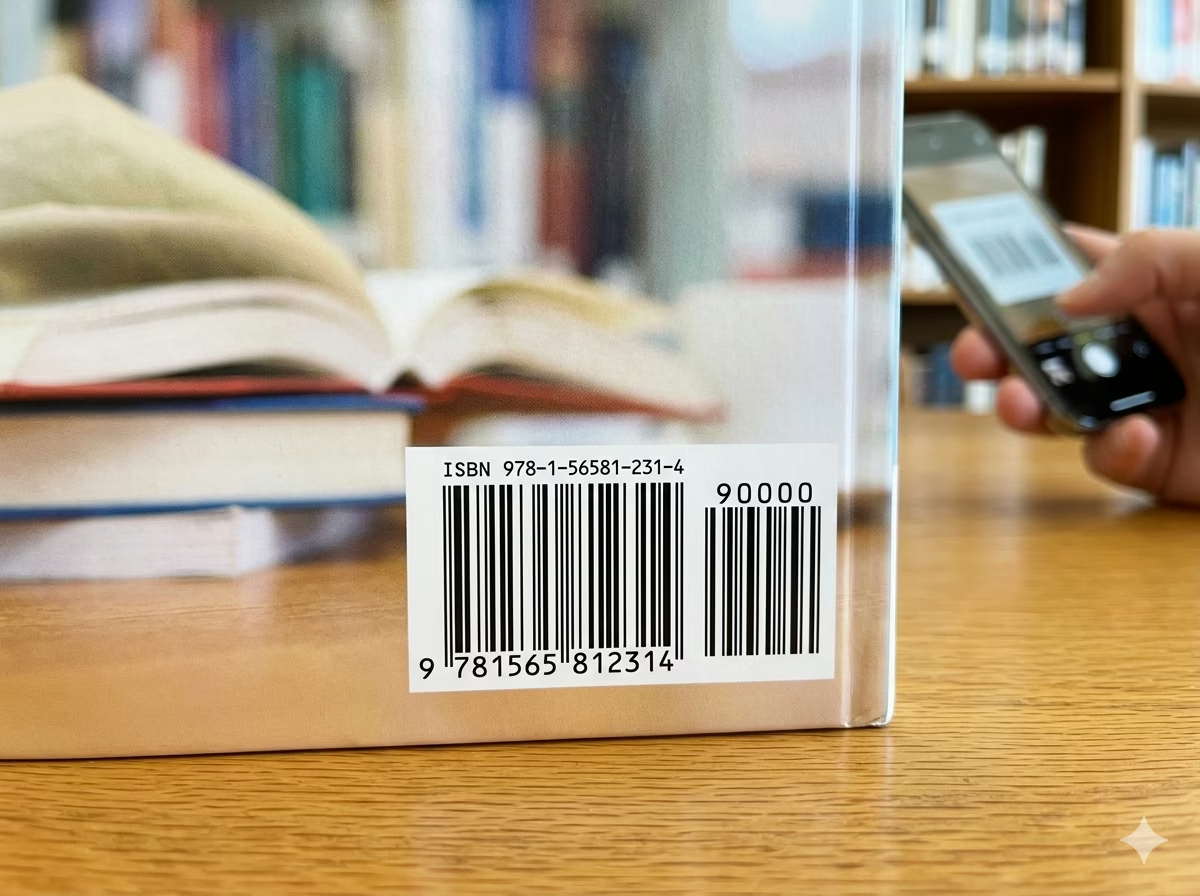
Book Cover Back Panel Barcode
The ISBN barcode is a mandatory element on the back cover of every commercially distributed book. Placed in the lower-right corner, it allows bookstore point-of-sale terminals, wholesaler receiving systems, and library checkout scanners to identify the exact title and edition with a single scan. A missing or invalid ISBN barcode will prevent a title from being accepted into distributor and retail inventory systems.
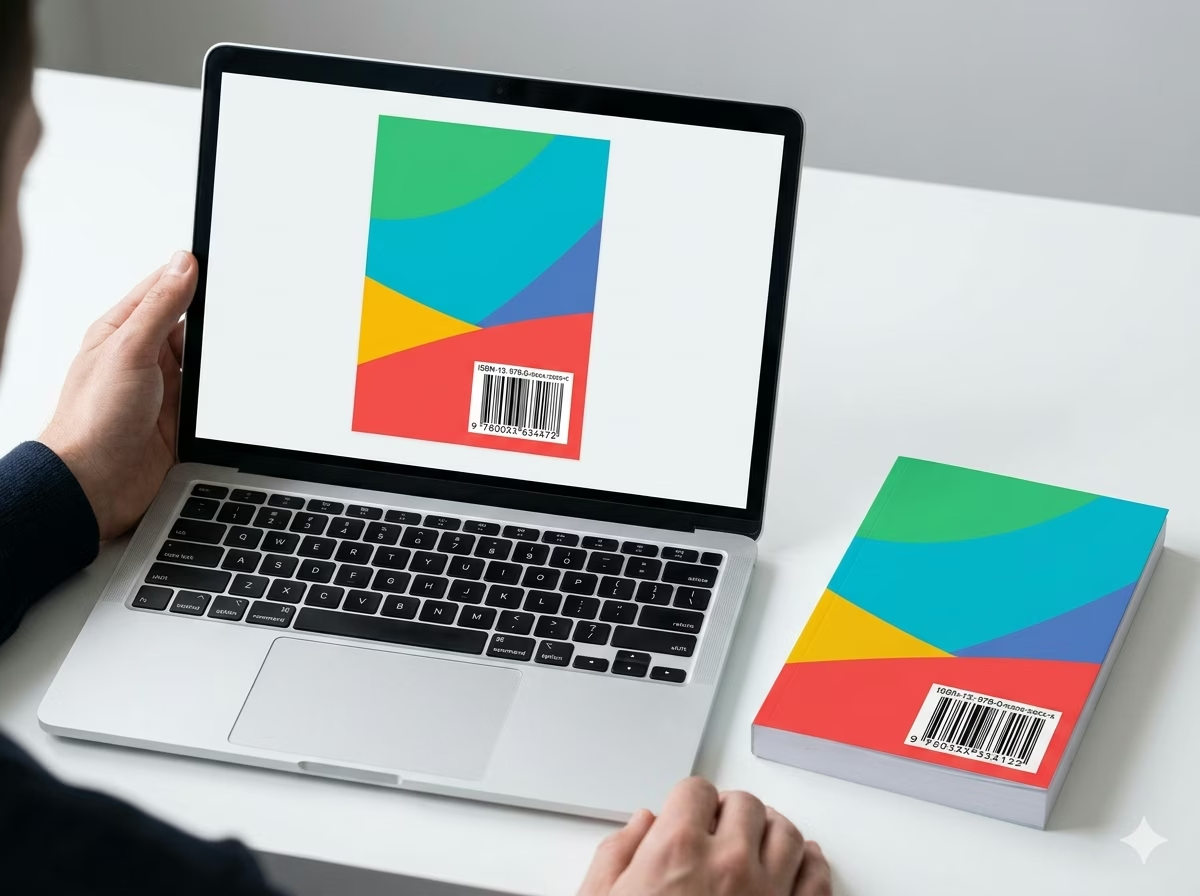
Self-Published and Print-on-Demand Books
Authors self-publishing through print-on-demand platforms such as IngramSpark, Amazon KDP, or Lulu must supply a valid ISBN barcode as part of their cover file. Generating the barcode here and placing it in your cover template — at the required position and minimum size — ensures your file passes platform upload validation and that your book is scannable in retail and library settings from day one.
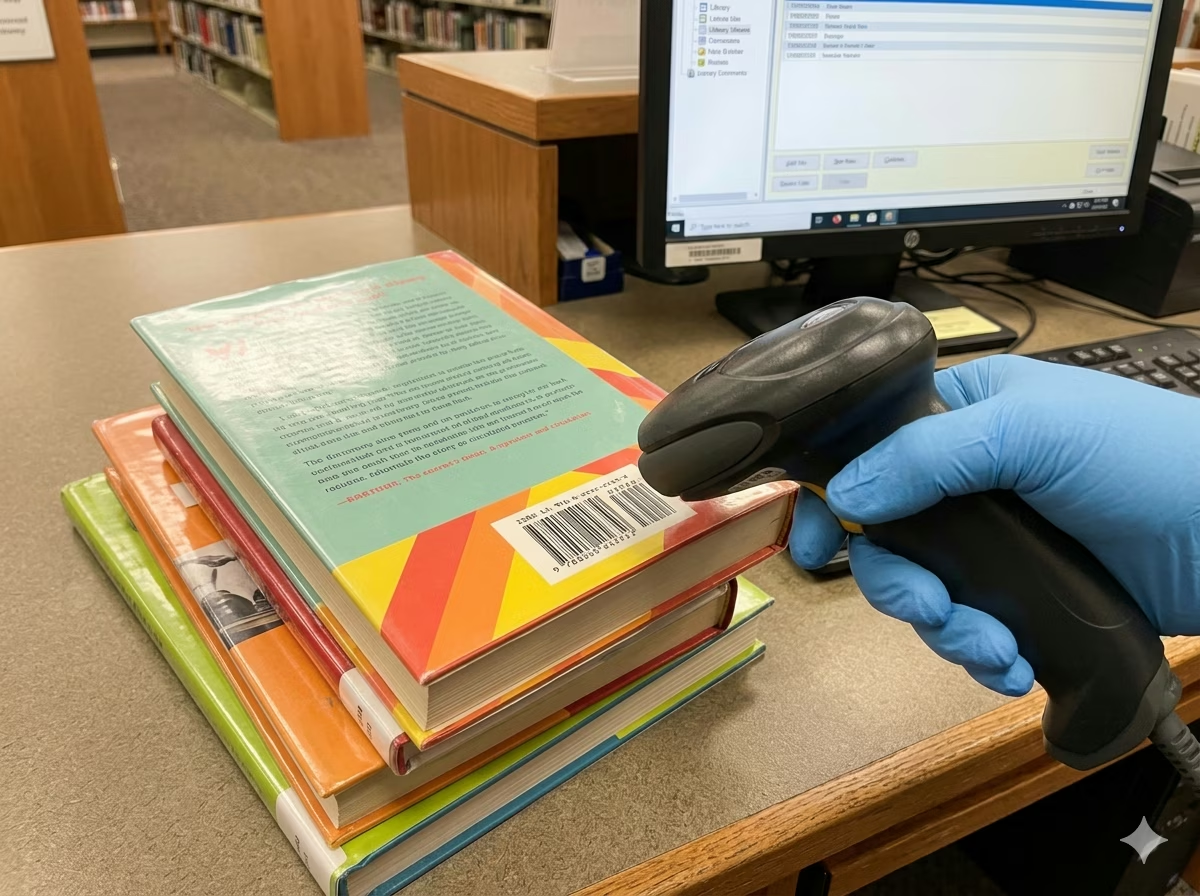
Library Cataloging and Acquisition
Public libraries, academic libraries, and school libraries use ISBN barcodes to process book acquisitions, catalog new holdings, and manage circulation check-out and return. An ISBN barcode on the back cover integrates directly with integrated library systems such as Koha, Alma, and Destiny, populating catalog records from ISBN databases without manual data entry. Libraries may also print ISBN-based spine labels for physical shelving.
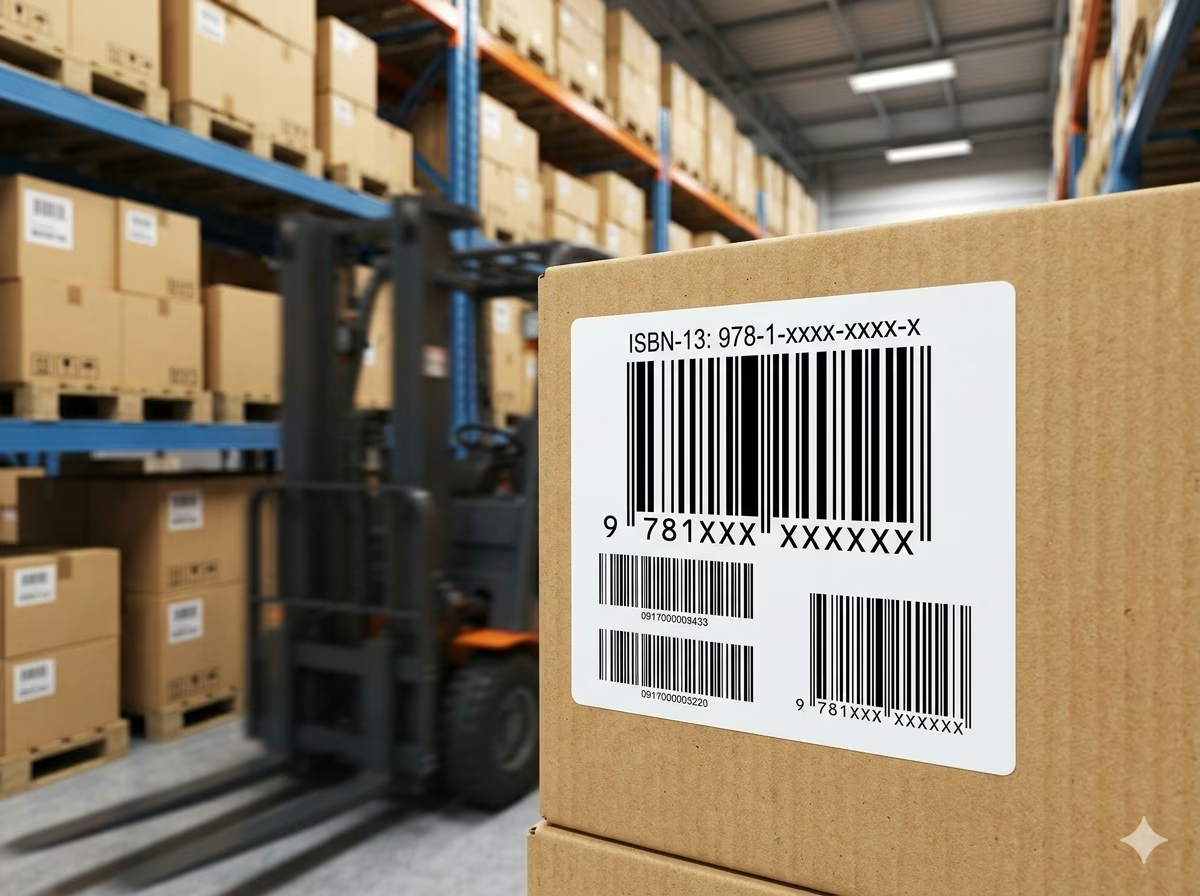
Book Distributor and Wholesaler Inventory
Distributors such as Ingram, Baker & Taylor, and regional wholesalers use ISBN barcodes as the primary identifier for receiving, warehousing, picking, and shipping book orders. A correctly formatted ISBN-13 barcode on every copy ensures seamless integration with warehouse management systems that handle millions of titles. Publishers submitting titles to distribution must provide valid ISBN barcodes meeting GS1 size and quiet zone requirements.
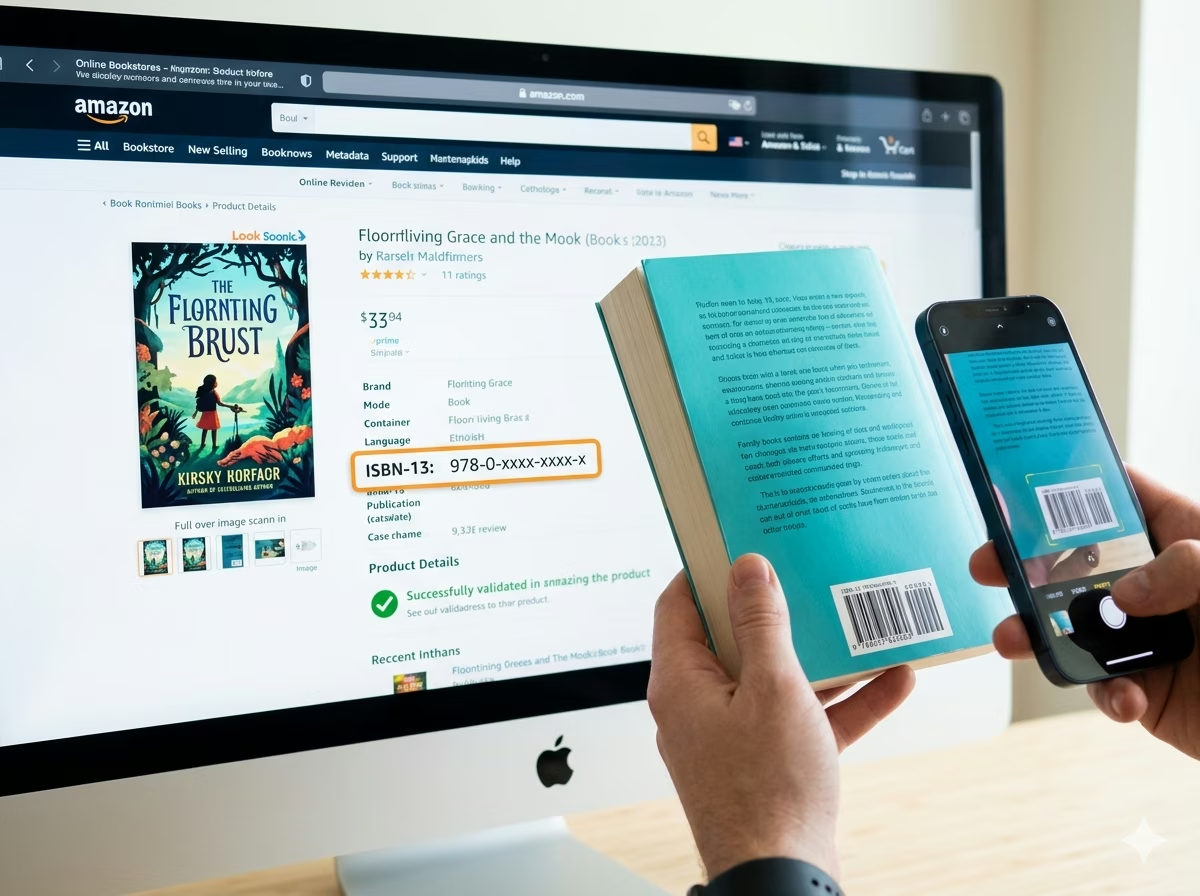
Online Retail Product Listings
Amazon, Barnes & Noble, Book Depository, and all major online booksellers require a valid ISBN-13 for product catalog listings. Generating and validating your ISBN barcode image before submission — and verifying the check digit is correct — prevents listing rejections and catalog mismatches between your publisher metadata and the retailer's product database. Online retail systems also use the ISBN to auto-populate title, author, and cover image data from global book metadata services.
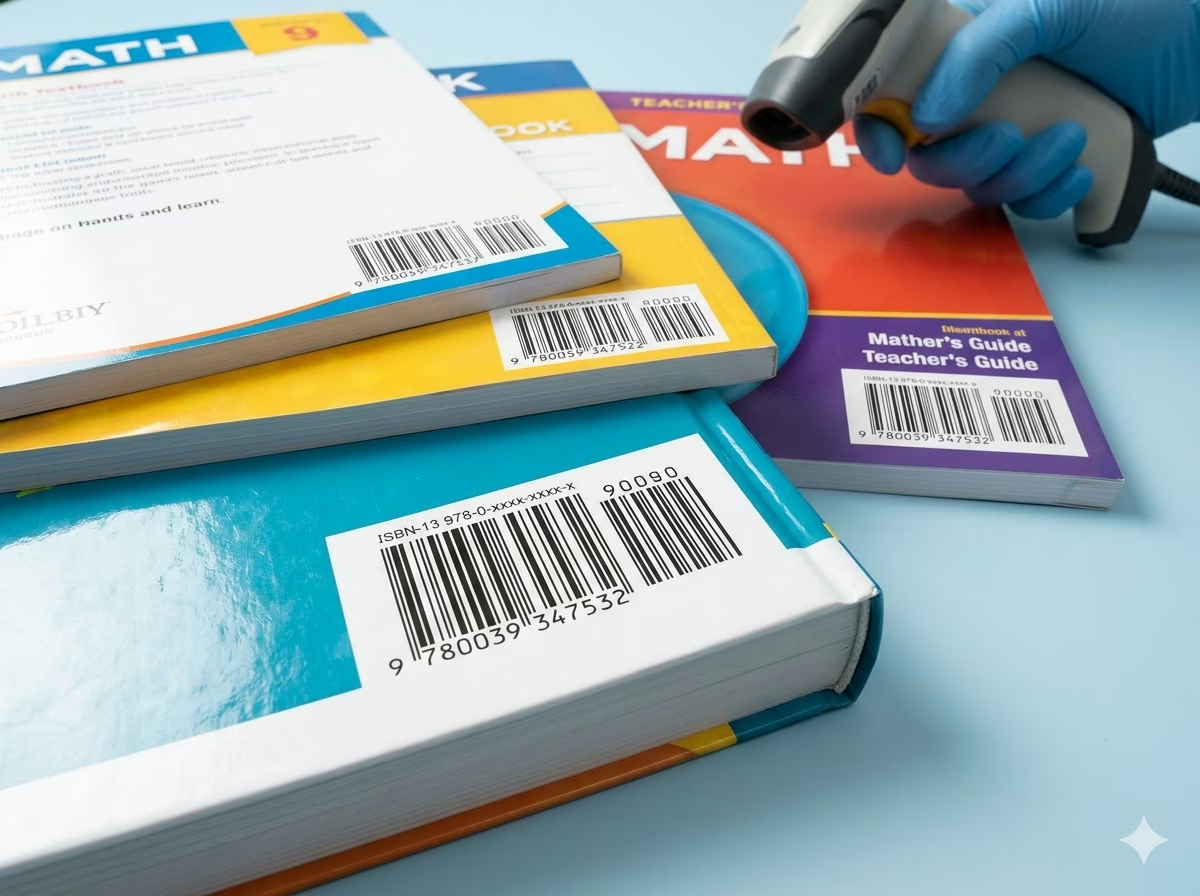
Textbook and Educational Publisher Catalogs
Educational publishers producing textbooks, workbooks, teacher editions, and supplementary materials assign a unique ISBN to each component of a course package. Bulk-generate ISBN barcodes for an entire course catalog — student edition, teacher edition, workbook, and assessment guide — and export print-ready SVGs for simultaneous cover production across the full product line.
ISBN Barcode — Frequently Asked Questions
Technical and practical answers to the most common questions about ISBN structure, check digits, ISBN-10 vs ISBN-13, the EAN-5 price add-on, barcode sizing, and how to obtain an ISBN.
What is an ISBN and who needs one?
ISBN stands for International Standard Book Number. It is a unique identifier assigned to every distinct edition and product form of a published book — hardcover, paperback, e-book, audiobook, and so on. ISBNs are issued by national ISBN agencies (in the US by Bowker, in the UK by Nielsen) and are required by virtually all commercial book distributors, major retailers, and library systems as a prerequisite for stocking, listing, and ordering a title. If you are publishing a book for commercial sale or library distribution, you need an ISBN. Self-published authors distributing exclusively through a single platform may be offered a free platform-assigned ISBN, but purchasing your own gives you full ownership and portability across all channels.
What is the difference between ISBN-10 and ISBN-13?
ISBN-10 was the original 10-digit format used for books published before January 2007. ISBN-13 is the current 13-digit format, introduced to expand the available number space and align with the EAN-13 barcode standard. All new ISBNs issued since 2007 are ISBN-13. ISBN-10 numbers can be converted to ISBN-13 by prepending the prefix 978 and recalculating the check digit using the EAN-13 Mod 10 algorithm. This generator accepts both formats and converts ISBN-10 to ISBN-13 automatically. Retail barcodes must always be printed in ISBN-13 / EAN-13 format.
How is the ISBN-13 check digit calculated?
The ISBN-13 check digit uses the standard EAN-13 Mod 10 weighted algorithm. Starting from the leftmost digit, alternate weights of 1 and 3 are multiplied against each of the first 12 digits. The sum of those products is computed; the check digit is the value that makes the total a multiple of 10. For example, if the sum of the weighted digits is 83, the check digit is 7 (since 83 + 7 = 90). This generator calculates the check digit automatically — enter your 12-digit ISBN base and the correct 13th digit is computed and appended. If you enter all 13 digits, the check digit is validated and any error is flagged immediately.
What is the EAN-5 price add-on on ISBN barcodes?
The EAN-5 supplement is an optional five-digit barcode printed to the right of the main ISBN-13 barcode on book covers, primarily in North America. It encodes a suggested retail price: the first digit indicates currency (5 = US dollars, 6 = Canadian dollars, 9 = no price stated), followed by a four-digit price in cents (e.g., 51995 encodes USD $19.95, and 90000 indicates no price). The EAN-5 is purely supplementary — the book's identity is fully encoded in the main ISBN-13 barcode. Point-of-sale systems that support EAN-5 can capture both the ISBN and the price from a single scan; systems that do not simply read the main barcode and ignore the supplement.
What barcode symbology does ISBN use?
ISBN barcodes are encoded as EAN-13 — the same linear 1D barcode format used on retail consumer goods worldwide. The GS1 prefix group 978 (and expanding 979) is reserved for books under the Bookland system. Because the symbology is standard EAN-13, no special scanner hardware or software configuration is required — any POS terminal, library barcode scanner, or smartphone barcode app that reads EAN-13 can read an ISBN barcode. The optional EAN-5 price supplement uses the EAN-5 supplemental barcode format, appended to the right of the main EAN-13 symbol.
What size should an ISBN barcode be on a book cover?
GS1 guidelines specify a nominal X-dimension (module width) of 0.33mm for ISBN barcodes at 100% magnification, producing a barcode approximately 37.29mm wide and 25.9mm tall excluding quiet zones — the standard size on trade paperbacks. The allowed magnification range is 80%–200% of nominal. For smaller books or crowded cover layouts, the barcode may be reduced to 80% magnification; going below this risks scan failures on retail scanners. When downloading as SVG from this generator, the barcode is resolution-independent and can be scaled precisely to any required magnification in your design software.
How do I obtain an ISBN for my book?
ISBNs are assigned by national ISBN agencies. In the United States, Bowker (myidentifiers.com) is the sole official ISBN agency; in the United Kingdom, Nielsen issues ISBNs; most other countries have their own national agency listed on the International ISBN Agency website. You purchase a single ISBN or a block of 10, 100, or 1000 depending on your publishing volume. Each distinct product form of your book — hardcover, paperback, e-book, audiobook — requires its own ISBN. This generator handles barcode creation once you have your ISBN number; obtaining the number itself requires registration with your national agency.
Is my ISBN data safe when using this generator?
Yes. All ISBN validation, ISBN-10 to ISBN-13 conversion, check digit calculation, and EAN-13 barcode encoding are performed entirely in your browser using client-side JavaScript. Your ISBN numbers and publication data are never transmitted to any server and never stored anywhere. Close the browser tab and all data is gone. This tool is safe to use with unpublished ISBNs prior to your book's official release date.
Specification reference
Read the full ISBN specification — character set, check digit, quiet zone, density, and the governing ISO 2108 (numbering); GS1 General Specifications (symbol) standard — in our barcode glossary.
ISBN specificationRelated barcode types
Compare ISBN with similar symbologies, or open their full specifications.
- EAN-13
The 13-digit retail point-of-sale barcode used on consumer products worldwide outside North America.
- EAN-5
A 5-digit add-on barcode printed beside EAN-13/UPC on books and magazines, typically carrying price.
- ISMN
The EAN-13-based identification number for printed music — scores, sheet music, and parts.
- ISSN
The EAN-13-based identification number for serials — journals, magazines, and newspapers — with a 2-digit issue add-on.
Related barcode tools
Need more than one barcode, a printed label sheet, or a way to check the result? These tools use the same generator, so the output matches.
- Bulk Barcode GeneratorImport Excel or CSV, paste a list, or create a sequence and get a barcode for every row. Export as PNG, SVG, JPG, or a ZIP.
- Barcode Label PrintPrint a full sheet of labels that lines up with Avery label stock, at the correct physical size.
- Barcode ScannerVerify a printed label before you run the whole batch — decode it from an image or your camera.
- Barcode MakerFull control over size, colors, font, quiet zone, and layout for a single barcode.
Generate Your ISBN Barcode Now — Free, Instant, No Account Required
This free ISBN barcode generator is ready to use immediately. Enter your ISBN-10 or ISBN-13, let the generator validate and convert it, adjust the barcode size to your cover specifications, and download a print-ready PNG or SVG in seconds. Supports EAN-5 price add-on for North American retail editions. No signup, no watermarks, no usage limits. All validation and encoding happens locally in your browser — your ISBNs stay private. Generate one barcode for a single title or an entire catalog in bulk; the tool is completely free regardless of volume.