
Free GS1 DataBar Omnidirectional Barcode Generator — Create, Preview & Download Instantly
Generate GS1 DataBar Omnidirectional barcodes online for free — no signup, no software, no limits. Enter any GS1 Application Identifier string and get a crisp, scannable barcode in PNG or SVG format within seconds. GS1 DataBar Omnidirectional encodes a 14-digit GTIN in a compact footprint readable from any scan direction, making it ideal for fresh produce labels, small retail items, loyalty coupons, and point-of-sale scanning at grocery checkouts. Real-time preview updates as you type. Download, bulk-generate, or copy your barcode instantly.

What Is GS1 DataBar Omnidirectional?
GS1 DataBar Omnidirectional (formerly RSS-14) is a linear barcode symbology standardized under ISO/IEC 24724 that encodes a full 14-digit Global Trade Item Number (GTIN) in a symbol narrower than a traditional EAN-13. It is part of the GS1 DataBar family, developed specifically to label items too small for UPC or EAN barcodes — including loose produce, fresh food, and individually packaged health and beauty products. 'Omnidirectional' means the barcode is designed to be read by omnidirectional scanners at any rotation angle, enabling smooth point-of-sale scanning without manual label alignment. Every GS1 DataBar Omnidirectional barcode contains a mandatory Mod 10 check digit calculated automatically, and the symbol includes two guard patterns and a 14-module finder pattern to support 360° scanning on standard retail POS equipment.
- Full 14-Digit GTIN Encoding in a Compact FootprintGS1 DataBar Omnidirectional encodes a complete 14-digit GTIN — including the leading GS1 Application Identifier (01) — in a symbol that is significantly narrower than a standard EAN-13 or UPC-A barcode. This makes it the preferred format for small retail items where label real estate is limited: fresh produce, deli items, health and beauty products, and individually portioned foods that cannot physically accommodate a full-width UPC symbol.
- True Omnidirectional Scanning — Any Angle, Any OrientationUnlike standard 1D barcodes that require the scanner beam to cross the bars perpendicularly, GS1 DataBar Omnidirectional is engineered for omnidirectional POS scanners. Its two-row stacked structure with integrated finder pattern allows retail flatbed scanners to decode the symbol at any rotation without the cashier needing to orient the label. This dramatically increases checkout throughput and reduces scan failures at high-volume grocery checkout lanes.
- GS1 Application Identifier (AI) ComplianceGS1 DataBar Omnidirectional is part of the GS1 system and encodes data using GS1 Application Identifiers. The primary AI is (01), which flags the following 13 digits as a GTIN. This makes DataBar Omnidirectional barcodes machine-readable by any GS1-compliant scanner or retail POS system worldwide, and fully compatible with GS1 global trade databases, enabling seamless product identification across supply chains.
- Automatic Mod 10 Check Digit — Built-In Error DetectionEvery GS1 DataBar Omnidirectional symbol includes a mandatory Mod 10 check digit computed from the 13 preceding GTIN digits. This check digit is calculated and embedded automatically by the encoder — you do not need to compute or append it manually. Scanners verify the check digit during every decode operation, rejecting corrupted reads caused by printing defects, label abrasion, or poor scan geometry, providing reliable error detection at point of sale.
- Adopted for Fresh Food, Produce, and Small Retail ItemsGS1 DataBar Omnidirectional was specifically developed by GS1 to solve the labeling problem for items that are too small, irregularly shaped, or price-variable to carry a standard UPC or EAN-13 barcode. It is the mandated or recommended format for bulk produce, loose-weight items, pharmacy products, and coupon barcodes in markets that have adopted the GS1 DataBar sunrise date, including major grocery chains across North America and Europe.
GS1 DataBar Omnidirectional specifications
The full-height 14-digit GS1 DataBar that scans from any angle at retail POS — successor to EAN/UPC for tiny items. The table below lists the exact GS1 DataBar Omnidirectional specifications — character set, check digit, X-dimension, quiet zone and the governing GS1 General Specifications standard — so you can size and print the symbol correctly the first time.
| Character set | Digits 0-9 only (GTIN content) |
|---|---|
| Data length | Exactly 14 digits (13 data + Mod 10 check) |
| Check digit | Mandatory Mod 10 check digit |
| Density | 14 digits in 96×33 modules — about 50% of EAN-13 width |
| X-dimension (module width) | 0.25-0.50 mm typical; nominal 0.33 mm |
| Quiet zone | 1X recommended (GS1); extremely compact margins |
| Magnification | X-dimension 0.25 mm minimum for POS scanning |
| Bar / space ratio | Variable-width bars and spaces |
| Standard | GS1 General Specifications |
| Introduced | 2001 — GS1 (as RSS-14, renamed GS1 DataBar in 2007) |
Typical uses: Small-item retail POS marking; Fresh produce and loose goods labels; Coupons and health-aids packaging.
How GS1 DataBar Omnidirectional compares to similar barcode types
Choosing the wrong symbology is the most common cause of barcodes that scan in the warehouse but get rejected downstream. This table compares GS1 DataBar Omnidirectional with the formats most often confused with it, on the three properties that decide compatibility: character set, check digit, and quiet zone.
| Symbology | Character set | Check digit | Quiet zone |
|---|---|---|---|
| GS1 DataBar Omnidirectional(this page) | Digits 0-9 only (GTIN content) | Mandatory Mod 10 check digit | 1X recommended (GS1); extremely compact margins |
| GS1 DataBar Stacked | Digits 0-9 only (GTIN content) | Mandatory Mod 10 check digit | 1X recommended around the whole stacked symbol |
| GS1 DataBar Limited | Digits 0-9 only (indicator restricted to 0 or 1) | Mandatory Mod 10 check digit | 1X recommended; end guard bars provide orientation cues |
| GS1 DataBar Expanded | GS1 AI element strings — numeric AIs with some alphanumeric fields (max 41 alpha / 74 numeric chars) | GTIN Mod 10 check digit embedded in the AI (01) element; no separate symbol check digit | 1X recommended |
| EAN-13 | Digits 0-9 only | Mandatory Mod 10 check digit, computed from the first 12 digits | 11X on the left, 7X on the right |
How to Create a GS1 DataBar Omnidirectional Barcode — Step-by-Step
Creating a scannable, print-ready GS1 DataBar Omnidirectional barcode with this free online generator takes under a minute. Follow these four steps:
Enter Your GTIN Data
Type or paste your GS1 Application Identifier string into the input field, for example: (01)09521234543213. The leading (01) is the GS1 AI designating a GTIN-14. The following 13 digits are your product identifier; the final digit is the Mod 10 check digit, which is validated automatically. If you are unsure of your GTIN, obtain it from GS1 or your brand owner — do not invent GTINs for retail use.
Adjust Size and Appearance
Use the settings panel to set symbol height, module width, font size, and quiet zone. Toggle the human-readable text on or off depending on your label requirements. For retail food labels, GS1 minimum size specifications require an X-dimension of at least 0.264mm and a symbol height of at least 33 modules. The live preview reflects every adjustment instantly so you can fine-tune the barcode before downloading.
Preview and Validate
Confirm the barcode preview looks correct: check that the GTIN displayed below the bars matches your input, that the two-row bar pattern is clean and evenly spaced, and that the quiet zones on both sides are visually clear. For retail or food-safety applications, scan the on-screen barcode preview with a mobile scanner app to verify that the symbol decodes correctly before printing.
Download or Copy
Click the PNG download button for a raster image suitable for Word documents, label software, or e-mail. Click SVG for a resolution-independent vector file ready for Illustrator, Inkscape, or direct embedding in HTML or packaging artwork. For bulk jobs, switch to the bulk input panel, paste your list of GTIN values, and download a ZIP of all barcodes at once.
Who Should Use This GS1 DataBar Omnidirectional Generator?
This free online GS1 DataBar Omnidirectional generator is built for anyone who needs compliant, production-quality DataBar barcodes without investing in specialized software. Here is who benefits most.
Grocery Retailers and Produce Departments
Generate DataBar Omnidirectional barcodes for fresh produce labels, deli items, and bakery products. Print them on thermal label printers at the scale or prep station and confirm that omnidirectional checkout scanners decode them correctly before rolling out to the sales floor.
Food Producers and Fresh Food Brands
Create print-ready DataBar Omnidirectional barcodes for product packaging or retailer-supplied label programs. Bulk-generate barcodes for an entire fresh-food SKU range and download them as SVG for placement in packaging artwork or as PNG for pre-press proofing.
Pharmacy and Health Product Manufacturers
Produce GS1 DataBar Omnidirectional barcodes for OTC medication packaging, cosmetics, and personal care items where label space is too limited for EAN-13. Verify Mod 10 check-digit accuracy automatically and download print-ready files for integration into existing label artwork.
Developers and System Integrators
Quickly prototype or test GS1 DataBar Omnidirectional barcode integrations without setting up a local barcode library. Generate reference barcodes to validate scanner configuration, check-digit logic, or label layout dimensions before deploying a production labeling pipeline.
GS1 DataBar Omnidirectional Barcode Generator Features
Everything you need to create production-quality GS1 DataBar Omnidirectional barcodes — from real-time preview and GS1 AI validation to bulk generation, size controls, and lossless SVG output.
GS1 Application Identifier Input Support
Enter your data in standard GS1 Application Identifier notation — for example, (01)09521234543213 — and the generator correctly parses the AI prefix and encodes the GTIN payload into a valid GS1 DataBar Omnidirectional symbol. The encoder validates that the data conforms to the 14-digit GTIN structure expected by GS1 DataBar Omnidirectional, flagging incorrect lengths or non-numeric characters before you download.
Real-Time Preview as You Type
The barcode preview updates live with every keystroke. See the exact DataBar Omnidirectional symbol that will be generated — including the two-row bar pattern, finder pattern, and human-readable text — before downloading. Invalid input is flagged immediately so you can correct GTIN data before it reaches a printer or label system.
PNG and SVG Download
Download your GS1 DataBar Omnidirectional barcode as a high-resolution PNG for documents, food labels, and e-mail attachments, or as a lossless SVG for print-ready workflows, label templates, and vector graphics editors. SVG barcodes scale to any size without pixelation, making them ideal for large-format printing, screen display, and embedding in web pages or packaging design files.
Adjustable Width, Height, and Quiet Zone
Control every visual parameter of your DataBar Omnidirectional barcode: symbol height, module width (X-dimension), human-readable text font size, and quiet zone width. Quiet zones — the mandatory blank spaces to the left and right of the symbol — are required for reliable scanner decoding and are included automatically at the minimum width specified by ISO/IEC 24724. Resize freely for any label dimension while keeping the symbol scannable.
Human-Readable Text — Show or Hide
Toggle the human-readable interpretation (HRI) text below the barcode on or off. When enabled, the encoded GTIN value is printed beneath the symbol in a clear font — typically required on retail labels so store associates and consumers can read the product code visually without a scanner. Disable it for space-constrained labels or when the GTIN is printed elsewhere on the packaging.
Bulk Barcode Generation
Generate hundreds of unique GS1 DataBar Omnidirectional barcodes in one operation using the bulk input panel. Enter one GTIN value per line and download all barcodes as a ZIP archive of PNG or SVG files. Ideal for producing product labels for an entire fresh-food SKU catalog, batch printing loyalty coupon barcodes, or creating label sheets for a produce department without manual one-by-one generation.
No Signup, No Watermarks, No Limits
This GS1 DataBar Omnidirectional generator is completely free with no usage caps, no account required, and no watermarks on downloaded files. All barcode encoding happens in your browser — your input data is never transmitted to any server. Generate one barcode or ten thousand; the tool imposes no limits and retains no data.
GS1 DataBar Omnidirectional Use Cases & Real-World Examples
GS1 DataBar Omnidirectional is the barcode of choice wherever items are too small for UPC, pricing is variable, or omnidirectional scanning is required. Here are the most common real-world applications.
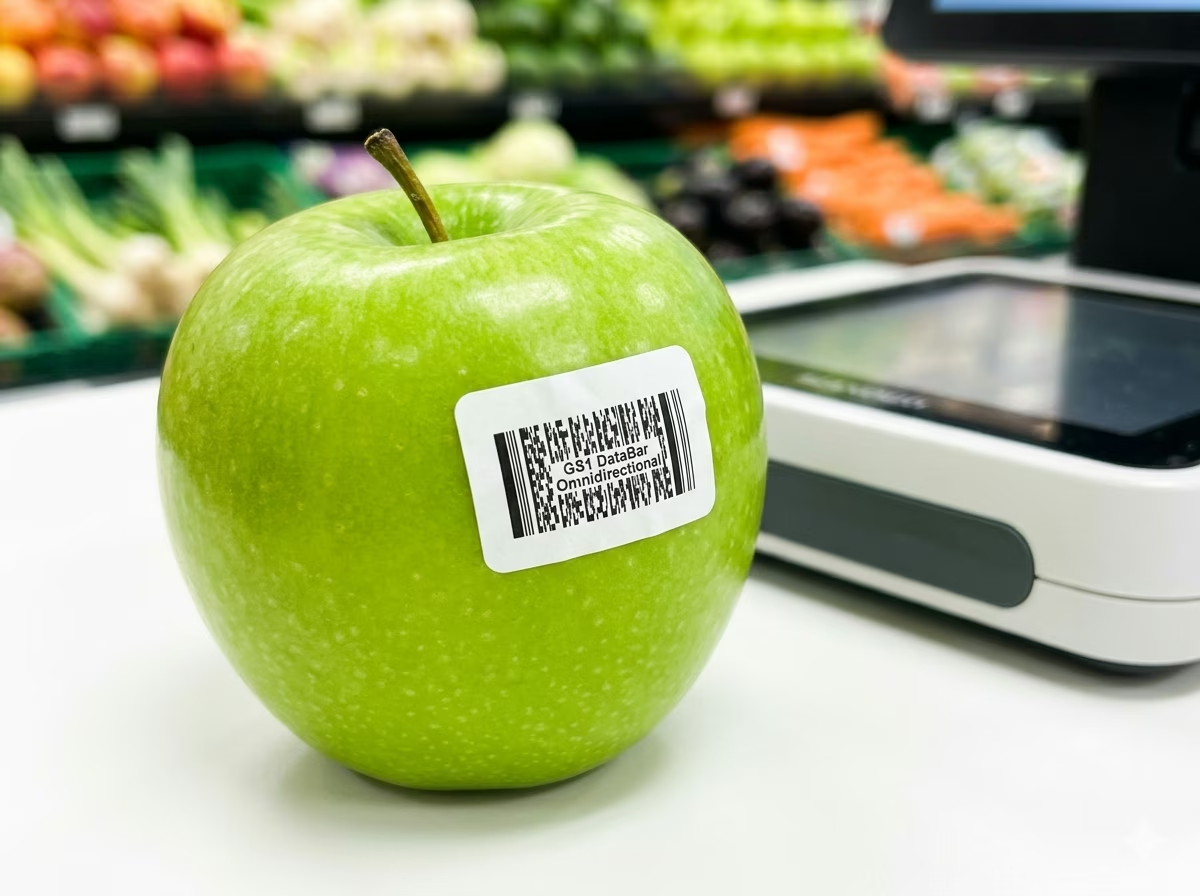
Fresh Produce and Loose-Weight Items
GS1 DataBar Omnidirectional is the GS1-mandated format for fresh produce, bulk nuts, loose-weight deli, and other items sold without fixed packaging. Encode the GTIN-14 on a small peel-and-stick price label applied at the scale. Omnidirectional scanners at the checkout lane can decode the symbol regardless of label orientation on an irregularly shaped apple or avocado.

Small Retail Consumer Products
Health and beauty items, lip balm tubes, confectionery singles, and individually wrapped portions are often too small to print a full-width EAN-13 or UPC-A. GS1 DataBar Omnidirectional encodes the same 14-digit GTIN in a significantly narrower footprint, enabling compliant product identification on packaging where space is at a premium.
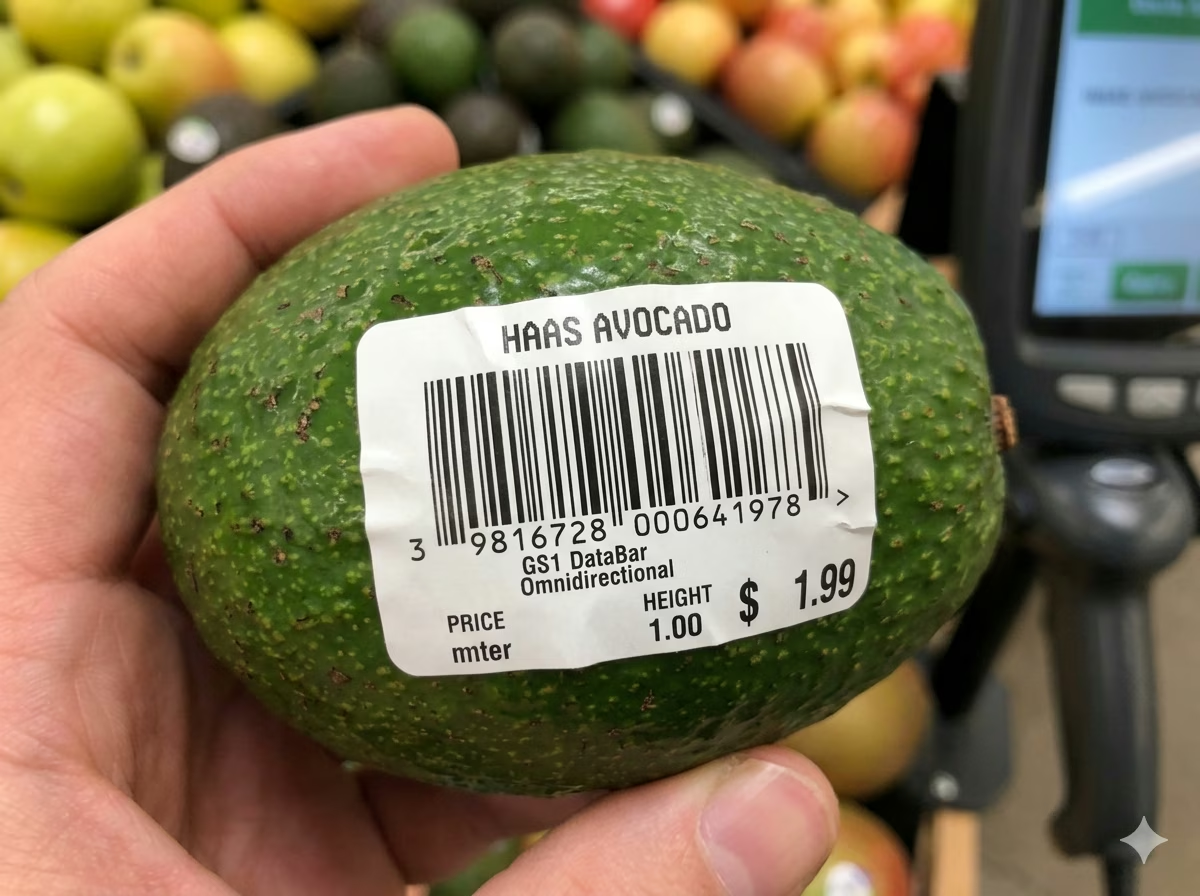
Grocery and Supermarket Point of Sale
Major grocery chains and supermarkets have adopted GS1 DataBar Omnidirectional for produce-department items since the GS1 sunrise date. Flatbed omnidirectional scanners at checkout lanes decode DataBar symbols at any rotation without the cashier needing to reposition the item, maintaining scanning throughput on high-volume conveyor belts.
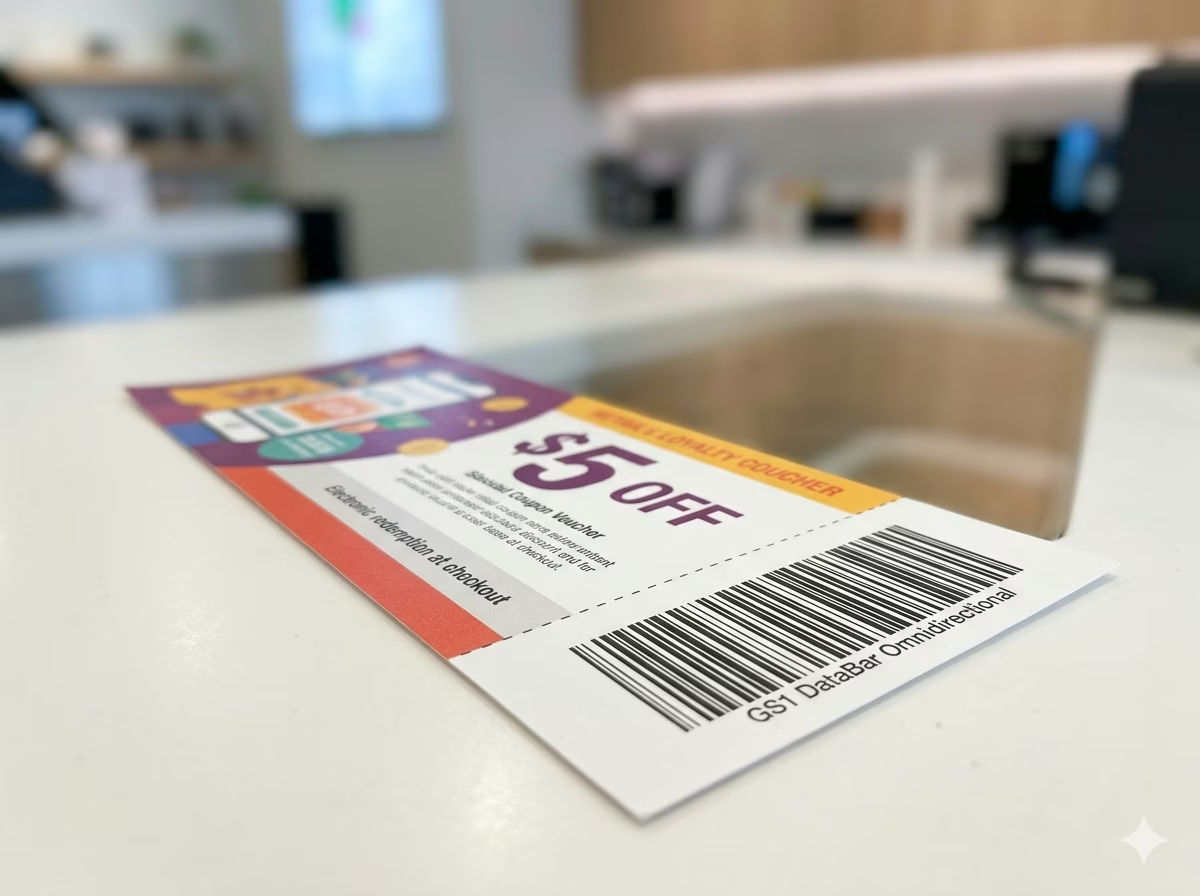
Loyalty Coupons and Promotional Labels
GS1 DataBar Omnidirectional is used on coupon barcodes and promotional stickers where the compact symbol fits within tight label designs. Encode the GTIN identifying the product eligible for discount. Compliant scanners at point of sale read and apply the coupon value without manual override, streamlining promotional redemption workflows in grocery and pharmacy settings.

Pharmacy and Health Product Labeling
Over-the-counter medications, cosmetics, and personal care products with small packaging use GS1 DataBar Omnidirectional to comply with GS1 identification requirements without the label real estate that EAN-13 demands. Pharmacies can scan these items at the dispensing counter using standard omnidirectional scanners, maintaining inventory accuracy and POS compatibility.
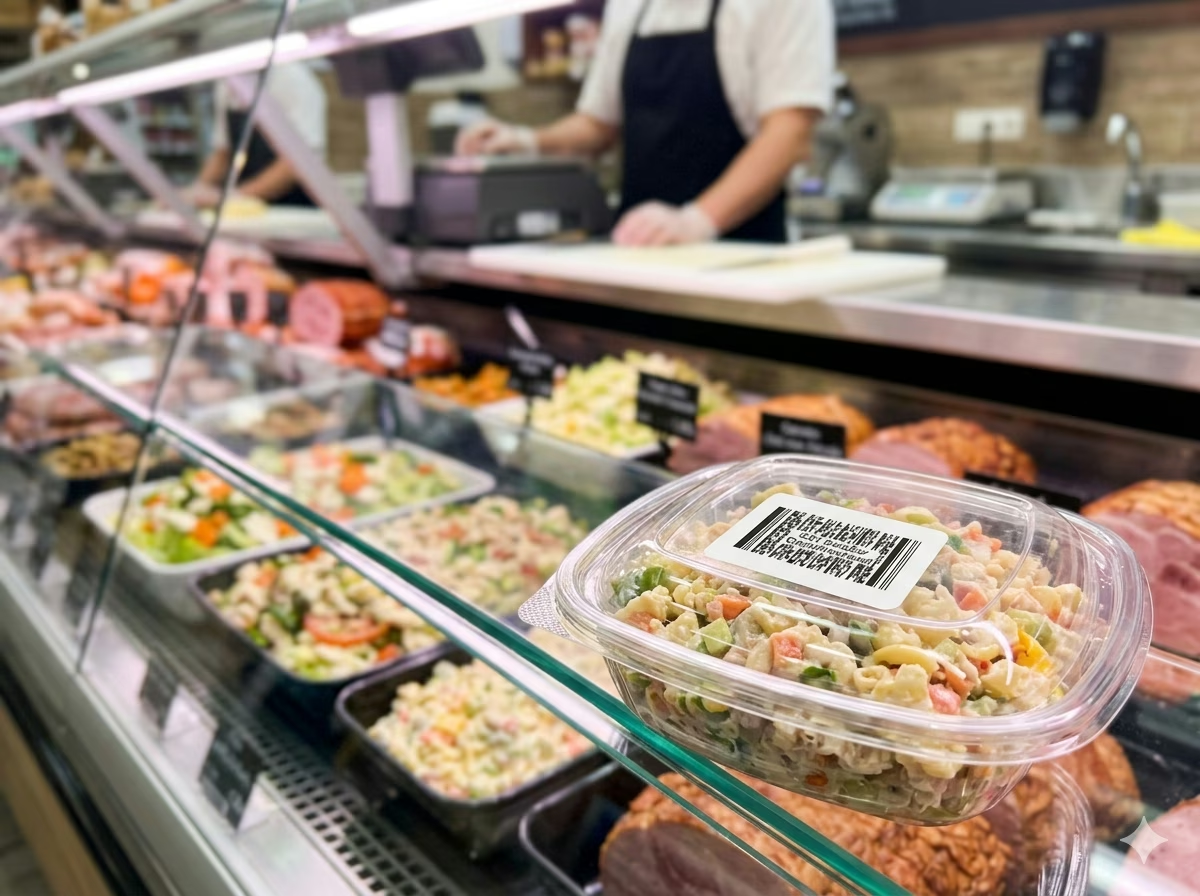
Food Service and Prepared Meal Labels
Deli counters, prepared meals, bakery items, and foodservice portions that are weighed and priced at the point of preparation use GS1 DataBar Omnidirectional on thermal printer labels. The barcode encodes the GTIN and is printed fresh for each item, enabling checkout scanning of variable-weight products without PLU lookup codes.
GS1 DataBar Omnidirectional Barcode — Frequently Asked Questions
Technical answers to the most common questions about GS1 DataBar Omnidirectional encoding rules, GTIN structure, scanning compatibility, and practical usage.
What data does GS1 DataBar Omnidirectional encode?
GS1 DataBar Omnidirectional encodes a 14-digit Global Trade Item Number (GTIN-14) using the GS1 Application Identifier (01). The input string takes the form (01) followed by 14 digits — for example, (01)09521234543213. The leading two digits after (01) typically represent the GS1 packaging indicator and company prefix indicator. The final digit is a Mod 10 check digit validated automatically. Unlike Code 128 or Code 39, DataBar Omnidirectional is strictly numeric and limited to the GTIN-14 structure — it cannot encode arbitrary text.
What is the difference between GS1 DataBar Omnidirectional and EAN-13 or UPC-A?
EAN-13 and UPC-A encode 13 or 12 digits respectively in a fixed-width symbol designed for flatbed scanning of standardized consumer products. GS1 DataBar Omnidirectional encodes a full 14-digit GTIN in a narrower, two-row stacked structure — making it suitable for items too small for EAN-13. Both formats are readable by modern omnidirectional retail POS scanners, but DataBar Omnidirectional is the GS1-preferred format for fresh produce, small consumer goods, and items with variable weight or price.
Can all retail scanners read GS1 DataBar Omnidirectional?
Most modern omnidirectional flatbed scanners deployed in grocery and retail environments from major manufacturers (Zebra, Honeywell, Datalogic) support GS1 DataBar Omnidirectional decoding natively. However, older laser scanners manufactured before 2010 may require a firmware update or may not support DataBar at all. GS1 issued a 'sunrise date' by which compliant scanners were required to support the DataBar family. Before deploying DataBar labels in a retail environment, confirm that your POS scanner firmware is DataBar-enabled.
Does GS1 DataBar Omnidirectional have a check digit?
Yes. The 14th digit of the encoded GTIN is a Mod 10 check digit calculated from the preceding 13 digits using the standard GS1 check-digit algorithm. This check digit is validated automatically by the encoder when you enter your GTIN — if the check digit you provide does not match the expected value, the symbol will be flagged as invalid. Scanners verify the check digit during every decode and reject mismatches, providing built-in error detection.
What is the minimum size for a scannable GS1 DataBar Omnidirectional barcode?
GS1 specifications require a minimum X-dimension (module width) of 0.264mm for GS1 DataBar Omnidirectional in retail point-of-sale applications. The symbol height must be at least 33 modules tall (approximately 8.7mm at minimum X-dimension). Smaller symbols increase the risk of scan failures on produce and small-item labels. For reliable scanning on all compliant POS equipment, GS1 recommends printing at or above the nominal X-dimension of 0.330mm.
What is the difference between GS1 DataBar Omnidirectional and GS1 DataBar Limited?
Both symbologies encode a 14-digit GTIN, but GS1 DataBar Limited is designed for even smaller items — its symbol is narrower but can only encode GTINs where the first digit is 0 or 1 (indicating single-unit consumer items). DataBar Omnidirectional encodes all GTINs regardless of the leading digit and supports omnidirectional scanning on retail flatbeds. Use DataBar Limited only when you need the smallest possible symbol and your GTIN starts with 0 or 1; use DataBar Omnidirectional for general retail use.
Can I use GS1 DataBar Omnidirectional barcodes for online retail or logistics?
GS1 DataBar Omnidirectional is designed specifically for point-of-sale retail scanning of consumer items and is not intended for logistics labels, carton barcodes, or parcel tracking. For shipping and logistics, use GS1-128 (Code 128 with GS1 Application Identifiers) or ITF-14. For standard consumer retail products with sufficient label space, EAN-13 or UPC-A remain the primary formats. DataBar Omnidirectional is best deployed for produce, small items, and contexts where label space is the primary constraint.
Is my data safe when using this generator?
Yes. All GS1 DataBar Omnidirectional encoding is performed entirely in your browser using client-side JavaScript. Your input data — including any GTINs, product identifiers, or AI strings — is never transmitted to any server and never stored anywhere. Close the browser tab and all data is gone. This tool is safe to use with proprietary product codes and unreleased GTIN assignments.
Specification reference
Read the full GS1 DataBar Omnidirectional specification — character set, check digit, quiet zone, density, and the governing GS1 General Specifications standard — in our barcode glossary.
GS1 DataBar Omnidirectional specificationRelated barcode types
Compare GS1 DataBar Omnidirectional with similar symbologies, or open their full specifications.
- GS1 DataBar Stacked
The two-row stacked DataBar — 14-digit GTIN in a square-ish footprint for fresh produce stickers.
- GS1 DataBar Limited
The smallest GS1 DataBar — a 14-digit GTIN with indicator 0 or 1 in a symbol just 50 modules wide.
- GS1 DataBar Expanded
The variable-length DataBar carrying GTIN plus extra AI data — weights, dates, lot numbers — on fresh food.
- EAN-13
The 13-digit retail point-of-sale barcode used on consumer products worldwide outside North America.
Related barcode tools
Need more than one barcode, a printed label sheet, or a way to check the result? These tools use the same generator, so the output matches.
- Bulk Barcode GeneratorImport Excel or CSV, paste a list, or create a sequence and get a barcode for every row. Export as PNG, SVG, JPG, or a ZIP.
- Barcode Label PrintPrint a full sheet of labels that lines up with Avery label stock, at the correct physical size.
- Barcode ScannerVerify a printed label before you run the whole batch — decode it from an image or your camera.
- Barcode MakerFull control over size, colors, font, quiet zone, and layout for a single barcode.
Generate Your GS1 DataBar Omnidirectional Barcode Now — Free, Instant, No Account Required
This free GS1 DataBar Omnidirectional barcode generator is ready to use immediately. Enter your GTIN with the (01) Application Identifier, adjust the size and appearance, and download a print-ready PNG or SVG barcode in seconds. No signup, no watermarks, no usage limits. All encoding happens locally in your browser — your data stays private. Generate one barcode or thousands; the tool is completely free regardless of volume.